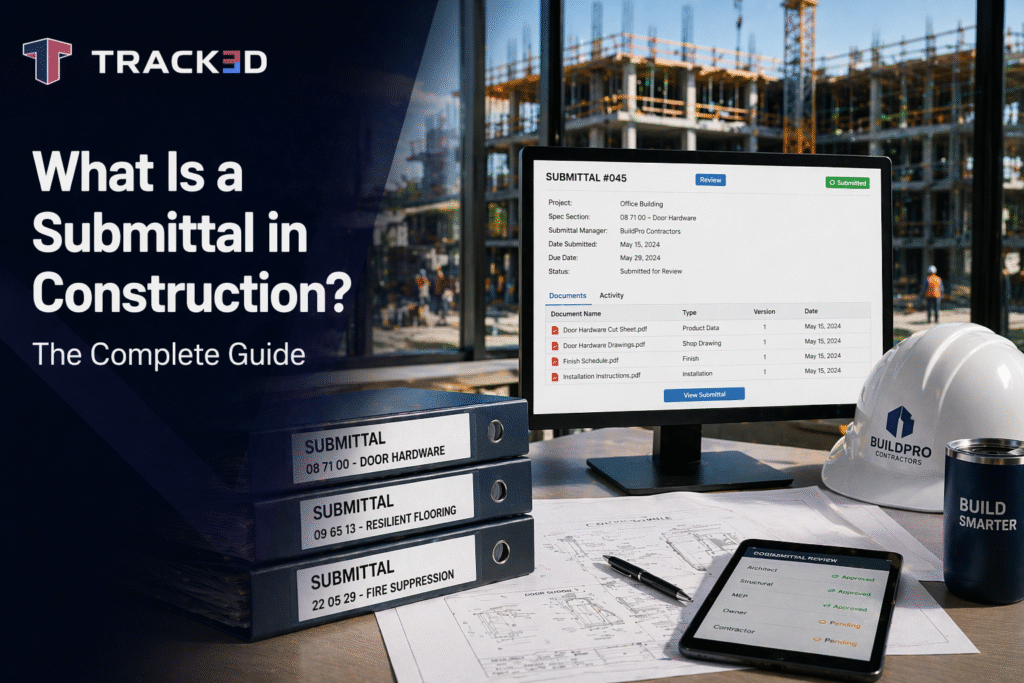
If you have ever been on a job where the wrong material got installed, you already know what a submittal is without even realizing it. Because the whole point of a submittal is to stop that kind of mess before it happens.
A construction submittal is basically a contractor’s way of saying:
“Here’s what we’re planning to use. Here’s how we’re planning to install it. Can you confirm it matches the contract before we spend money and start building?”
And yes, it’s paperwork. However, it is the type of paperwork that will prevent you from tearing down any completed work. Construction submittals may come in different forms, such as documents, drawings, samples, and mock-ups. Any information that is submitted by the contractor to the architect or engineer to verify whether the material or technique conforms to the requirements of the contract. If it gets approved, you move forward. If it doesn’t, you fix it before it turns into rework. That is the whole purpose.
Why does it matter?
If you have worked on even one commercial job, you have probably seen what happens when submittals are treated like “just paperwork.” A subcontractor orders the wrong product. It shows up on site. The crew installs it because the schedule is tight. Then the architect walks to the jobsite and says, “This isn’t approved.” Now the material has to come out. A replacement has to be ordered. And suddenly a simple mistake turns into a delay that hits multiple trades.
And it is not a rare situation.
Industry research has consistently shown that rework can eat up a serious portion of project cost. Some studies estimate rework can range from 5% to over 10% of total project value, depending on project type and complexity. That is millions of dollars on larger builds. Submittals are one of the most basic tools teams have to reduce those mistakes before they hit the field.
Submittals also affect something every contractor cares about: the schedule. A delayed submittal does not just delay a document. It delays procurement. It delays delivery. And it can push installation out far enough to damage the critical path.
In this guide, we’ll walk you through the complete breakdown of Submittal, including what, why, and how of it.
Key Takeways
• Submittals in construction refer to pre-installation quality control submissions that ensure that the items intended for installation by a contractor are consistent with the design requirements.
• Common types of submittals include shop drawings, product data sheets, samples, mockups, and close-out submittals.
• Getting submittals approved on the first pass saves significant time and schedule float.
• Resubmittal cycles are one of the most avoidable causes of procurement delay.
• Submittal approval is not the end of the story. Verifying that the approved product was actually installed correctly on site is the step most teams skip.
• Digital progress monitoring tools are closing the gap between what was approved and what was built.
What Is a Construction Submittal?
A construction submittal is the formal way contractors show the design team what they are planning to install, before ordering it or putting it in the building. It could be product information, a shop drawing, a physical sample, or a mock-up. The key thing is that it goes through review and approval.
If you think about how many decisions happen on a project, it makes sense why this process exists. A spec might say “fire-rated insulation” or “Type X gypsum board” or “approved glazing system,” but in the real world there are dozens of brands and product versions that technically fit that description. The design team still needs to confirm the exact product being used.
Submittals are also a form of protection. If the contractor installs something without approval and the architect later says, “That’s not what we specified,” the contractor is usually stuck paying for removal and replacement. No one wants that fight, and no one wants that cost. So submittals act like a checkpoint. A quality gate before procurement and installation.
Types of Construction Submittals
Submittals aren’t all the same. Some are simple. Some are technical. Some are a pain. It depends on what the architect or engineer needs to review. Here are the main types you’ll see on most jobs.
Shop Drawings
Shop drawings are the detailed drawings prepared by the subcontractor, fabricator, or supplier. They show how something will actually be built, connected, or installed. They usually go deeper than the design drawings. Shop drawings are common for things like structural steel, precast panels, curtain wall systems, glazing assemblies, ductwork layouts, and custom millwork.
A basic example is a steel contractor submitting connection details for a transfer beam. The design drawings might show the beam exists. But the shop drawings show the actual bolt patterns, weld sizes, and how it will be fabricated. That’s why shop drawings matter. They fill in the “how” part.
Product Data
Product data is basically manufacturer information. It’s the brochures and data sheets that prove a product meets the spec.
This is where the contractor shows things like: Dimensions, performance ratings, fire resistance, sound ratings, load capacity, installation requirements and warranty details.
A roofing contractor might submit product data for a membrane system, showing it meets the required wind uplift rating and installation method. It sounds simple, but product data submittals get rejected all the time because someone forgot to include one required performance rating or submitted the wrong model number.
Samples
Samples are physical materials sent for approval, usually because the finish matters. Think flooring, tile, paint, brick, stone, countertops, exterior panels. If you’re building a hotel lobby, the architect might want to see stone tile samples because “gray marble” can mean twenty different things in real life. Same goes for paint. The spec might call for “warm white,” but warm white under office lighting can look completely different than it does under natural light. Samples help avoid that argument later.
Mockups
Mockups are real-life test builds. They can be partial scale or full scale. A lot of teams hate doing mockups because they take time and cost money, but they prevent huge problems. Mockups are common on facade systems, curtain wall assemblies, waterproofing details, and high-end interiors.
Example:
A façade contractor builds a two-panel cladding mockup. The architect reviews alignment, sealant work, flashing details, and drainage performance. Once approved, that mockup becomes the standard for the full elevation.
Mockups are not just for appearance. They also help confirm buildability. A mockup can reveal issues like installation tolerance problems, water intrusion risk, improper fastening spacing and poor sealant detailing. A well-done mockup prevents mistakes from being repeated across an entire building.
Closeout Submittals
Closeout submittals happen at the end of the project. These include as-built drawings, O&M manuals, warranties, commissioning reports, and other turnover documentation. A lot of contractors treat closeout submittals like an afterthought, but owners care about them more than you’d think.
Because once the building is handed over, someone has to maintain it. And without those manuals and warranty docs, the owner is stuck guessing. Also, closeout documents are often tied to final payment. If you want to get paid and close the job cleanly, you need them.
Step-by-Step Construction Submittal Process
Submittals follow a fairly standard workflow. Every company runs it slightly differently, but the overall process stays the same.
1. Create the submittal schedule
The general contractor creates the submittal schedule early in the project. This schedule identifies:
- all required submittals
- who is responsible
- when each submittal is due
- which items are long-lead
Long-lead items usually get priority. Think about items like switchgear, elevators, curtain wall systems, custom glazing and major HVAC equipment. If those are delayed, the entire project can stall later. A strong submittal schedule is not a spreadsheet someone forgets. It is a real project control tool.
2. Prepare the submittal
The subcontractor or supplier compiles the documentation. This should include everything required by the spec, such as:product data sheets, test certifications, installation instructions, shop drawings (if needed) and sample photos or sample IDs
This is where many submittals fail. They are rushed and incomplete. When a submittal is incomplete, the design team has no choice but to respond with “revise and resubmit.”
3. GC review
Before forwarding to the architect or engineer, the GC reviews the submittal. A thorough GC review can prevent most rejections. A GC should check:
- correct spec section referenced
- correct revision used
- missing pages or missing certifications
- mismatched product model numbers
- missing installation details
This step may feel like extra effort, but it improves approval speed significantly.
4. Design team review
The design team reviews the submittal against the contract documents. They typically respond with one of four outcomes:
- Approved: proceed as submitted
- Approved as Noted: proceed, but follow minor corrections
- Revise and Resubmit: corrections required before procurement
- Rejected: does not comply, full resubmittal required
Each response has a schedule impact. Approved means procurement can move forward. Revise and resubmit means the contractor loses time and resets the review clock. Rejected usually means bigger problems, like the product not meeting spec at all.
5. Distribution and implementation
Once approved, the submittal is distributed to the field team. This is where version control matters. If the crew installs based on an older version, the approved submittal becomes useless. This happens more often than people admit, especially when foremen are working from printed packets that are weeks old.
6. Closeout submittals
At the end of the project, the team submits closeout documents. These are required for owner turnover and final sign-off. Many projects reach “substantial completion” but cannot reach final closeout because closeout submittals are missing or incomplete.
Why Submittals Matter for Schedule and Quality
Submittals aren’t just about “doing it right.” They’re also about keeping the schedule alive. Because procurement doesn’t move until approvals happen. And one delayed submittal can mess up a chain of events pretty quickly:
- Approval delayed → procurement order delayed
- Procurement delayed → lead time starts late
- Material arrives late → installation pushed back
- Installation pushed back → follow-on trades impacted
- Critical path disrupted → completion date at risk
This is why submittals are such a big deal on fast-track projects. A resubmittal isn’t just “a second review.” It’s often a full extra review cycle. And that can push deliveries by weeks. On paper, submittals look like admin work. On site, they are a schedule risk.
To understand it better, if a project has 200 submittals and only 70% are approved on the first pass, that means 60 resubmittals. That is 60 extra review cycles. Even if each review cycle takes only a week, that adds up quickly. And the worst part is that these delays often hit long-lead items, where a single resubmittal can shift delivery by weeks. The American Institute of Architects has even pointed out that submittal review and coordination is one of the most time-sensitive workflows in construction contract administration. That’s not surprising. It sits directly between design intent and real procurement.
Common Submittal Mistakes and How to Fix Them
Lots of problems with Submittals can be avoided. Here are the most common ones that turn up on almost every single project.
Issue 1: Wrong Spec Section Referencing
You know, it happens more often than you’d think – contractors will hand in the right product, but then they go and reference the wrong spec section. This adds a whole load of complexity to the review and ends up delaying the whole approval process.
The fix is simple: Give the entire spec section once over before your submittal is even created.
Issue 2: Missing Important Product Details
Product brochures look impressive, but they often miss out on the really crucial stuff, like fire ratings, load-bearing capabilities, noise testing results and code compliance certificates. These documents are essential and if they’re missing, it can’t be approved.
The solution is obvious: Double-check that every single requirement listed in the line-by-line description is actually included.
Issue 3: Submitting with Old Drawings
There’s one that comes up again and again because of how fast-paced construction projects can be. A subcontractor will make a submittal based on an old version of the drawings, which are then updated by the architect and suddenly the submittal is obsolete right from the get-go.
The answer is simple: Make sure your submittal includes the latest revision drawings.
Issue 4: Missing Methods Statement
Now, some submittals require a method statement, but contractors just go ahead and only give you the product info. And then comes the inevitable response from whoever is reviewing it
How to fix: Include installation method details upfront. Do not plan to follow up later.
What a “Good” Submittal Package Actually Looks Like
A lot of contractors know what a submittal is, but fewer teams know what makes one easy to approve. A good submittal package is not just correct. It is also easy for the reviewer to understand in five minutes. Here is what a clean submittal package usually includes:
- A clear cover sheet with spec section reference
- The exact product name and model number highlighted
- Key performance requirements clearly marked (fire rating, load rating, etc.)
- Manufacturer test data or certifications (if required)
- Installation instructions or method statement (when applicable)
- Correct drawing references and revision dates
- Clear labeling so reviewers do not have to hunt through pages
If you want faster approvals, the biggest trick is simple: make the reviewer’s job easy. Most design teams are not rejecting submittals because they enjoy it. They reject them because they cannot verify compliance quickly.
How to Get More First-Pass Approvals
This is not directly spelled out in the client’s draft, but it is one of the most useful things a contractor can learn. If you want faster approvals, do not rely on reminders. Improve the quality of your first submission. Here are practical ways to do that:
Make the submittal easy to review
Architects and engineers review hundreds of documents. If your submittal is messy, it will slow down. A good package includes: a clean cover sheet, spec section reference, highlighted compliance points, correct model numbers and correct attachments
Even small organization improvements can save days.
Do a quick “GC checklist review” before submission
Before sending, ask:
- Are all required certifications included?
- Are the right drawings attached?
- Are we using the current revision?
- Does the product match the spec exactly?
A 10-minute review can prevent a full resubmittal cycle. Avoid bundling unrelated items. One submittal should cover one product or one scope. Bundling slows down review because multiple disciplines may need to weigh in.
The Gap Between Approval and Installation
This is the part most teams miss. A submittal confirms what should be installed. It does not confirm what was installed. Even with an approved submittal, the wrong thing can still end up on site. Here is how it happens:
- the supplier ships the wrong revision
- the crew grabs the wrong material pallet
- the foreman substitutes a “close enough” product to save time
- the approved method is ignored under schedule pressure
And once the work is covered up, it becomes difficult to prove what was actually installed. This is where many defects originate. And this is where disputes often begin.
For example, a project might have an approved fire-rated assembly submittal. But if the wrong insulation type gets installed behind drywall, the building may fail inspection later. The paperwork says the right product was approved. But the field reality is different.
Approval is Not the End, Verification Matters.
Digital platforms that use automated progress monitoring and spatial capture help close this gap. They allow teams to compare what is approved against what is actually installed before the next trade covers it up. That is how small mistakes get caught early, while they are still cheap to fix.
Tools That Support the Submittal Process
Most modern construction teams rely on tools to manage submittals, especially on larger projects with hundreds of documents.
Here are the main ones.
1. Cloud-based document management platforms
These tools provide:
- centralized submittal logs
- version control
- routing workflows
- review status tracking
- searchable history
This reduces the risk of working from outdated documents.
2. BIM coordination tools
BIM tools help connect submittals to actual building elements. For example:
- the approved door hardware set belongs to these doors
- the approved facade system belongs to this elevation
- the approved HVAC unit belongs to this room
This makes tracking easier, especially when multiple products are installed across multiple zones.
3. Automated progress monitoring
Progress monitoring tools capture site conditions continuously and compare installed work against approved documentation.
This helps teams catch:
- wrong products installed
- incorrect locations
- missing work
- installation deviations
Instead of finding problems during a punch list, teams can find them while the work is still open.
Bottom Line
A submittal in construction is one of the simplest tools contractors have to protect quality and protect the schedule. It’s not just about “getting approval.” It’s about making sure the right materials and methods are being used before money is spent and before installation begins. But the real value comes from what happens after approval.
The teams that avoid rework and avoid painful closeouts are the teams that close the loop. They don’t just collect approvals. They make sure the actual product that was installed on site is the one that was officially approved, in the right spot, and installed correctly too.
Want to see how automated progress monitoring bridges the gap between approved submittals and what’s actually happening on site? Have a look at how Track3D helps construction teams verify what’s being installed against what was approved in advance, so that discrepancy doesn’t become a defect before it even happens.
FAQ’s
Q1. What is a submittal in construction?
A submittal is any document, drawing, sample, or actual item that a contractor hands over to the design team for their take on it. And it’s a way of confirming the materials, products, and methods they have planned for the job are actually going to meet the contract requirements before they buy or install anything.
Q2. What is the difference between a submittal and an RFI in construction?
A submittal is all about making sure you’re within the contract requirements. An RFI is where you ask for help because drawings or specifications are unclear. And often you’ll get an RFI before a submittal, so you can get the details right before submitting the correct product.
Q3. What does approve as noted mean on a construction submittal?
“Approved as noted” means the project team is happy with the submittal, but they’ve made one or two tiny corrections or conditions. The contractor is free to go ahead, but they’ve just got to make sure they follow the notes when they start installing.
Q4. What happens if a construction submittal is rejected?
Well, if a submittal does get rejected, the contractor has to go back and revise it, resubmit it. And all that does is add another cycle of review time which can cause delays. Which is why getting it right the first time is so important.
Q5. What is a submittal log in construction?
A submittal log is basically a log that keeps track of all submittals on a project. All the documents, submissions, status of submissions, and more. Very handy for keeping everything straight and on track.