Introduction
Documentation is a huge given for all practical projects, especially in construction. But having a comprehensive archive of useful documentation is the true challenge. As the superintendent or project manager, you must have faced this issue too – incomplete visuals with no context, or images that are scattered across multiple personal devices. The solution to this problem isn’t just more structure but a new tool – 360 site capture. It enables you to create a searchable digital archive of time-stamped and location-pinned images.
In this guide, we explore what 360 site capture is, how it functions, its pros and cons, and supplementary tools. Then what are you waiting for? Continue reading to find out more!
Key Takeaways
- 360 site capture creates a complete, timestamped, location-pinned record of the construction site.
- 360 captures documents from every angle, making dispute resolution and verification more reliable.
- Consistent walkthroughs help reduce rework, improve remote progress monitoring, and accelerate payment approvals.
- 360 site capture becomes more valuable when integrated with project management platforms and BIM workflows.
- Reality Intelligence turns stored visual data into searchable insights by automatically identifying progress gaps and deviations.
- The biggest challenges are large storage requirements, poor connectivity, lack of supervision, and inconsistent captures.
What Is a 360 Site Capture?
360 site capture is a system of using a 360° camera to capture visuals across the site. It uses dual fisheye lenses to capture every direction from a single point, then stitches the images into one spherical file. Unlike a standard picture, a 360 image lets you pan, tilt, and zoom in every direction. To put it simply, it is like using Google Street View on your job site.
The difference is astronomical – a standard picture only shows what the photographer decided to document, but a 360-site capture image shows what was present from every possible angle. This distinction will save you money during disputes!
There are three common methods of 360 site capture: handheld walkthroughs on a monopod (the most common one), hard hat or body-mounted for hands-free capture, and autonomous robots for large facilities that require frequent, repeatable documentation.
Why Is 360 Site Capture Important?
According to McKinsey Global Institute, construction productivity grows at a mere 1% annually, against the broader economy’s 2.8%. Poor documentation is a major contributor to this metric. To understand this better, consider this situation: the MEP contractor swears that the pipe was installed as detailed. The PM cannot verify because the ceiling is closed in. The photos are on someone’s personal phone, and there’s no record of it when the rough-in was completed. This entire situation becomes a claim item eighteen months later, when disputes arise.
This is why you need 360 site capture – for foolproof documentation. It helps you with:
- Dispute and claims protection: Most construction disputes depend on site conditions at specific times. Thus, location-pinned, timestamped 360 captures prove to be highly credible evidence.
- Rework reduction: Autodesk and FMI research shows that 48% of all construction rework stems from poor data. To address this, 360 site capture can create a verifiable record before concealment and resolve construction issues before rework is initiated.
- Remote progress monitoring: 360 site capture enables remote progress monitoring. Moreover, weekly walkthroughs replace several physical visits while providing more coverage.
- Payment and retainage acceleration: When verified, timestamped evidence of milestones is available, payment delays decrease, back-and-forth is reduced, and completion is accelerated.
How Does 360 Site Capture Work? Phase-By-Phase Walkthrough
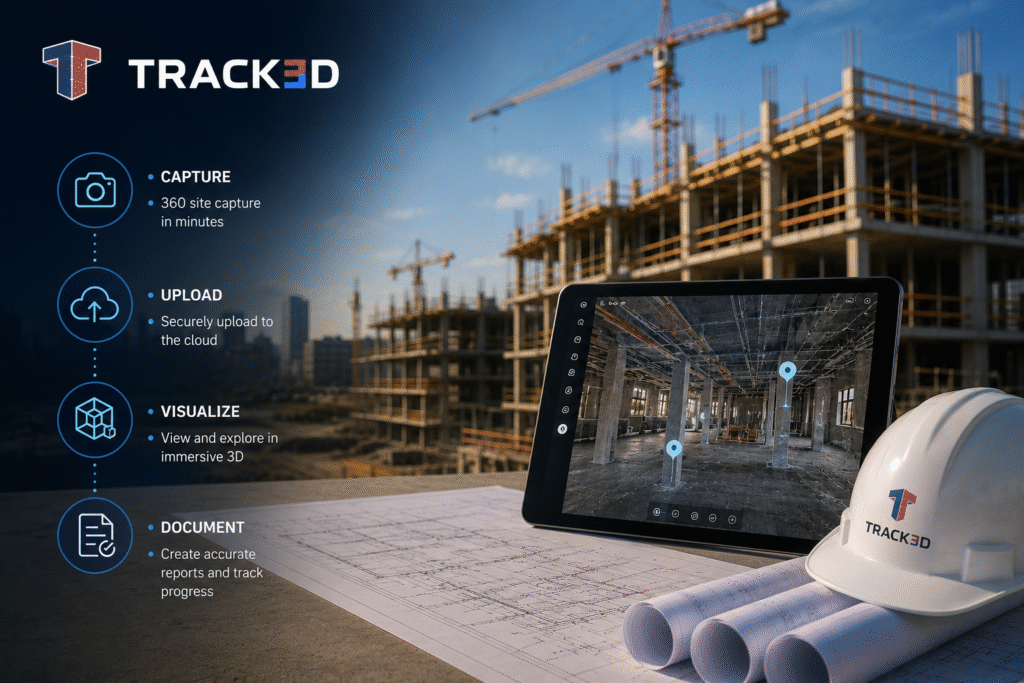
Let’s look at how 360 site capture works, end-to-end. Here’s the standard workflow:
- Define capture routes and location pins on the floor plan before the first walk.
- Walk the entire route with a handheld 360 camera at consistent intervals through the project duration.
- The tool will automatically pin the images to the floor plan by location and date.
- Once done, you can access any location on the site by clicking its pin on the drawing.
- Integrate the visuals with your project management platform for daily log and RFI linkage.
- Repeat this process weekly throughout active construction. Also, set up a milestone-based system to track key phases of the project.
The best way to understand the 360 site capture workflow is to consider its functioning, phase by phase. By mapping it to the actual project phases, we can understand what’s captured and why it matters.
- Preconstruction: Capture the existing conditions of the jobsite before demolition or new work begins. This will provide a baseline record and a reference point for all future changes. It is especially critical for brownfield sites and renovations where existing conditions are disputed.
- Active Construction: This phase has the highest frequency. Schedule weekly walkthroughs to record rough-in installations before concealment. These create evidence needed for change order support and RFI documentation.
- Commissioning: During this stage, defect documentation with location-pinned photo evidence is good for punch lists. 360 site capture creates the most defensible snag resolution record and directly reduces closeout dispute time.
- Handover: At this stage, 360 site capture will create the records of the final conditions of all spaces on the jobsite. Moreover, a complete 360 site capture archive is increasingly expected by owners as part of the digital package at the handover stage.
Pros & Cons of 360 Site Capture
In the following table, we explore some of the major advantages and disadvantages of 360 site capture. Consider these to see how well the system can be integrated at your jobsite.
| Advantages | Disadvantages |
| 360 site capture captures everything present on the jobsite, not just the photographer’s preferences. | Spherical files are large. Thus, storing high-frequency capture requires significant cloud storage planning. |
| When everything is captured adequately, virtual walkthroughs replace physical site visits and make remote visibility accessible. | Underground or remote sites with poor signal create sync challenges. |
| Timestamped, location-pinned records are useful evidence for dispute protection in claims. | Without a designated supervisor or field champion, route consistency degrades at high-risk phases. |
| Payments are accelerated when milestones can be verified via strong documentation. | AI analysis is needed to utilize the stored captures. A library without location pinning and AI analysis is difficult to use. |
| Weekly captures of the same location over a few weeks help find delays and variances. | – |
Common Mistakes For 360 Site Capture
To avoid the disadvantages of 360 site capture, here are some of the common mistakes you should be aware of:
| Mistakes | Implication | Fix |
| Inconsistent capture routes. | If each session has different routes, location-based comparison becomes virtually impossible. | Define routes on the floor plan before the first walk and treat them as final. |
| Images stored without a location. | Spherical fields without location-pinning provide no context and are practically useless. | Implement a platform that automatically pins the captures to the drawing set, making any point accessible by clicking the floor plan. |
| Missing the preconstruction baseline. | If you don’t have a baseline or reference point for the existing conditions, your archive is incomplete since you’re missing the highest-value documentation window. | Create a preconstruction baseline by capturing the project’s starting condition. |
| No integration with project workflows. | If 360 captures aren’t integrated with daily logs, RFIs lose most of their evidence value. | Integrate 360 site captures into your project management system for better efficiency. |
| Treating capture as a storage exercise. | This way, the images will keep accumulating without actually serving a purpose. | Use 360 captures with Reality Intelligence for automatically generated structured insights from your capture program. |
Despite avoiding these mistakes, 360 site capture still won’t be a good investment sometimes. For instance, when the projects are too small to have a structured capture program, such as a two-week single-trade fit-out with no concealed elements. It won’t justify the cost. Similarly, if there are persistent connectivity issues, the upload challenges will hinder real-time visibility. Lastly, without a field champion or supervisor, capture quality will degrade when the risk is high.
Tools and Technologies for 360 Site Capture
To supplement 360 site capture, here are some tools and technologies that you can explore:
- 360 camera hardware: Consumer-grade cameras, like Insta360 ONE X3 and Ricoh Theta Z1, are recommended, since they’re lightweight, affordable, and capable of 5.7K to 6K resolution. For high-frequency or restricted-access areas, autonomous robots can execute consistent programmed routes without manual effort.
The key criteria for camera hardware are a minimum 5.7K resolution, weather-sealed housing, battery life for full-route sessions, and verified platform compatibility. - Platform layer for organization and access: You need a sturdy platform to help you find images when needed. It should have automatic floor plan pinning by GPA, a searchable and timestamped archive, and integration with Procore, Autodesk, and other document management systems.
- Reality Intelligence: Reality Intelligence automatically analyzes 360 capture imagery to surface progress gaps, flag deviations from the plan, and generate structured documentation. The visual record is interpreted, indexed, and made actionable rather than simply stored.
Progress monitoring platforms connect 360 site walkthroughs to program milestones, converting visuals into structured, searchable project intelligence linked to BIM models.
Final Thoughts
To resolve disputes quickly and deliver confident handovers, you need a comprehensive, systematic visual archive from day one. A reliable, sturdy record helps increase efficiency, reduce rework, accelerate payments, etc. Additionally, consistent and structured 360 site capture, coupled with Reality Intelligence, is one of the highest-ROI investments in the current industry. All you need are the right tools, tech, field support, and discipline.
Track3D’s Reality Intelligence analyses 360 site capture walkthroughs to surface progress gaps and convert visual site data into structured, searchable records. Want to see exactly how it’s converted into active project intelligence? Book a demo today!
FAQ’s
Q1: What is 360 site capture in construction?
Ans: 360 site capture is photographing a site using spherical cameras that record every angle from a single point. Images are then pinned to the floor plans by location and date, creating a navigable visual record that teams can refer to remotely throughout the project.
Q2: How is 360 site capture different from regular site photos?
Ans: Standard photos capture what the photographer chooses, but 360 site capture records everything present from every angle, showing what was actually there rather than what someone decided to photograph.
Q3: What is Reality Intelligence in construction?
Ans: Reality Intelligence automatically analyzes 360 site capture to surface progress gaps and generate structured records, converting walkthroughs into active, searchable project intelligence.
Q4: How often should construction teams do 360 site capture?
Ans: Typically, teams should capture visuals weekly during active construction and set a milestone-triggered system for preconstruction baseline, commissioning, and handover.
Q5: Can 360 site photos be used as evidence in construction disputes?
Ans: Timestamped, location-pinned 360 captures are highly effective as visual evidence. They’re more credible than standard photos because they document conditions from every angle on a specific date.