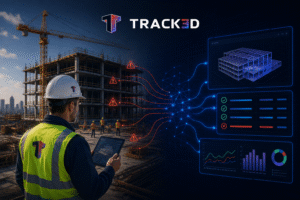
Construction progress tracking often means relying on judgment calls, multiple trade walks, and inconsistent “percent complete” estimates. Supers and managers have to spend hours piecing together photos, notes, and spreadsheets. By the time updates reach the office, the site has already changed. But what if there was a way to report everything in real-time? AI-powered progress tracking brings forth just that.
It solves everyday issues by analysing visual data and converting it into accurate, consistent insights that teams can rely on. It also helps in reducing uncertainty and keeping projects in motion with clarity. Continue reading to know more!
Key Takeaways
- AI-powered construction progress tracking allows for the monitoring of site progress through visual information, automation, and real-time data analysis.
- Conventional progress tracking techniques are usually prone to inconsistencies, delays, and inaccuracies regarding progress estimation.
- New-age progress tracking software enables better collaboration, transparency, record-keeping, and decision-making on construction sites.
- AI tools can detect discrepancies between site operations and project plan expectations by comparing both sides.
- Automated tracking saves time by avoiding paperwork, reducing disputes, and documenting project progress digitally.
- Real-time monitoring ensures that everyone working on the project management process is aligned.
- AI-powered progress monitoring improves efficiency and increases performance.
What is AI Construction Progress Tracking?
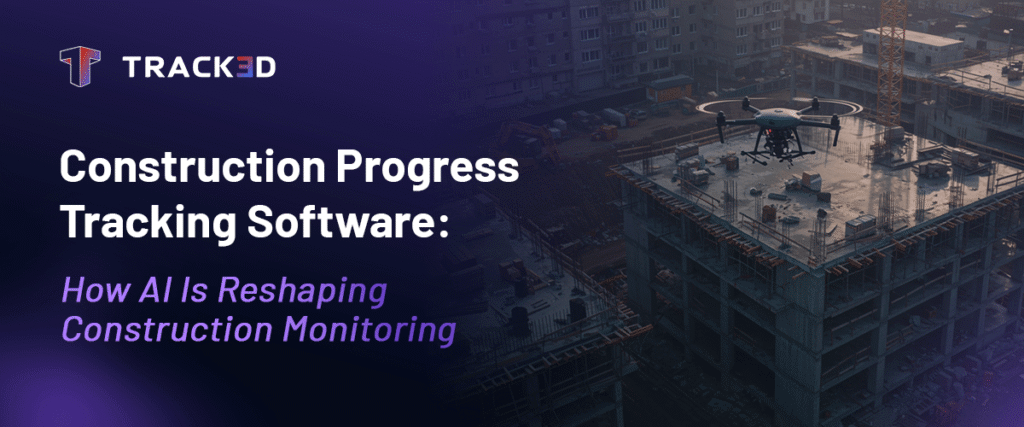
AI Construction Progress Tracking refers to the application of artificial intelligence, visual data, and automation technology to monitor, evaluate, and analyze the progress of construction site development. Instead of automating field crews, construction AI progress tracking technology enhances construction processes through the application of reality-capture technology together with intelligence data analysis. Current AI progress tracking technology uses 360-degree pictures, drone technology, laser scanning, and AI insights to enable effective monitoring and recording of site progress.
Why Does Traditional Progress Tracking Fail?
For most projects, construction progress tracking still largely depends on manual walks, rough estimates, and separate updates that don’t align. While this might work for smaller sites, it creates more problems for larger ones.
- First and foremost, traditional ways of note-taking and progress tracking often fail to meet industry standards.
- Multiple trade walks lead to inconsistent reporting and mismatched records.
- Even the most minor errors in visual guesses can cause inaccuracies in the pay application. No one likes the frustration and hefty rework.
- Gathering paperwork and formulating insights based on it takes much longer than relying on software to take care of data. This can potentially cause a delay in decision-making.
- When your reporting, logging, and notetaking is disconnected across trades and media, an inadvertent lack of project-wide visibility may occur. This is because scattered data makes it tough to look at the bigger picture.
- Inaccurate documentation and construction progress tracking can lead to frequent disputes. Similarly, constant payment delays and arguments can cause mistrust and strain project relationships.
In addition to these, there are many other pain points that a superintendent or project manager must endure. AI-powered construction progress tracking software can address all of these and present an elevated method of project management.
Benefits of Construction Progress Tracking
Traditional progress tracking relies on paperwork, clipboards, and a camera. A random walk through the worksite is all the project manager gets to make notes and figure out the progress of the project. This implies different updates from different trades, and even small mistakes account for a lot. But it doesn’t have to be this way. Construction progress tracking can get more streamlined and put together. Here are some of the key benefits:
1. Multiple Trade Walks to One Walk
AI-powered construction progress tracking saves field time.
As a superintendent or project manager, you need to stay on top of every task and trade at the worksite. This means multiple walks around the area and individual updates from everyone (which are often not aligned). However, with a construction progress tracking software, you can fit that into a single 15-minute walk. Focus on consistent documentation and eliminate redundant reporting.
2. Unbiased Progress Data
Construction progress tracking software ensures unbiased, accurate data, regardless of the person in charge.
If different people are doing the walkthrough every day, the reports will vary across the duration of the project, because estimates depend on the person. Contrarily, AI and complementary systems use site visuals to track real progress, meaning subjectivity and guesswork take a backseat.
3. Faster and Smoother Validation
Validation no longer needs to rely on individual stakeholders or people’s estimates.
When the progress data is quantified, timestamped, and recorded as visual documentation, validation goes by much faster. You no longer have to wait for someone to confirm their installation or sift through daily logs of multiple days to find proof of work. This smooth process of approvals leads to fewer disputes and a smoother cash flow.
4. Risk and Error Identification
With AI-powered progress tracking, rely on prior risk identification and management.
Once you feed in the plan, the construction progress tracking software will continuously compare it against the actual work. This will give teams an early warning of schedule risks and probable errors that can be resolved without costly delays and wasted manpower.
5. Remote Transparency and Collaboration
Save time and collaborate remotely with AI-powered construction progress tracking.
The biggest advantage of a foolproof construction progress tracking software is that you no longer need to visit the jobsite as often. You can collaborate remotely, keep track of data from your desktop, and stay consistently up-to-date. Everyone, from the GC to the owner, stays in the loop, which helps build accountability and accelerates decision-making.
6. Reliable Record
Lose the chance of manual error and build reliable historical records.
With a digital audit trail of the project’s lifecycle, the project manager does not have to rely on trade owners’ memories, manual notes, and hefty paperwork. A solid data-driven system can help you build records that are invaluable for quality checks, compliance documentation, claims resolution, and post-project benchmarking. Turn day-to-day progress tracking into long-term project intelligence.
With AI and construction progress tracking software, you get the best of both worlds.
You no longer need to compromise between finer details and looking at the project with a bigger lens. With AI, you can comfortably do both. Analyse the nitty-gritties to find what lacks, while still having a larger view of what’s going on.
A conscious shift from manual project-tracking to a data-driven progress tracking software can enhance your everyday work routine. Supers don’t have to chase updates; progress is visible right away, and owners can trust every pay app and report.
How Does AI-Powered Construction Progress Tracking Software Work?
Now that we’ve built a foundation on what a construction progress tracking software entails and its benefits, let’s look at how it works.
- 360° Visual Scans, Drones, Laser: Teams can either walk with a 360° camera or use drones and lasers to capture visuals of the jobsite.
- Mapping: Captured images are compared and aligned with digital floor plans or BIM models. This helps build a record of where each task and trade is done.
- Quantification: The AI systems review the work done and realistically quantify it. This gives a practical idea of what’s done and what’s left.
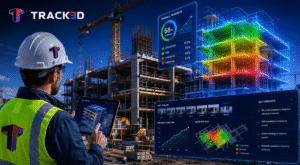
- Reporting: Through an AI-powered software, you can transform construction progress tracking from manually taken notes to instant dashboards and insights that spot issues and track productivity.
- Visibility: When project reports, visuals, and data are accessible to all supers, project managers, owners, traders, etc., transparency, trust, and teamwork improve manifold.
How to Get Started With AI-Powered Construction Progress Tracking?
Here are some simple steps to get started with AI-powered construction progress tracking.
1. One Source for all
It’s crucial to establish a single source of truth. Any AI system or software is only as good as the data supplied to it. If your data falters or contradicts itself, the system will fail to work as efficiently as it can.
2. Tracking Workflow
Invest as much time as you can in tracking workflows. It might be tiresome in the beginning, but gathering insights is how you can best make use of the software. Also, this is one of the only ways you can find the shortcomings in your system.
3. Schedule As Much as You Can
One of the major challenges of managing a construction site is that it’s so constant all the time! Things are happening non-stop; tasks are moving continuously. It might get flabbergasting to stay on top of it all. Use your construction progress tracking software to schedule visits, check-ins, updates, reports, and much more!
4. Are You on Track?
One of the best features of AI, as discussed above, is that it can compare work with the plans and figure out whether everything is on track. This asset can help you visualise progress more realistically and understand the fallbacks.
5. Elevate Documentation
Use AI construction progress tracking to enhance your documentation. This software can help you move from messy notes that are all over the place to a streamlined system of data that can be utilised at a moment’s notice.
Calculating the ROI of Automated Progress Tracking
When you’re investing money and resources into automating your everyday workflow, it’s imperative to figure out whether it’s actually saving you money or not. Here are some questions you can ask yourself and the team in order to calculate the ROI of automated progress tracking:
- Has there been a significant time reduction in executing different processes?
- How much spending has been avoided because of the lack of human errors?
- Has the productivity index gone up? Is the team able to focus on other tasks better?
- Has the number of errors reduced?
- Is there a significant change in the quality of paperwork and progress tracking?
- How often are the automation systems being used?
- Automation systems must also add further agility and flexibility to your business. Has that increased?
- In the long run, has employee retention rate increased? Is your team more satisfied with the work?
- Can you track significant risk reduction in the workflow?
These are some of the fundamental metrics, based on which you can calculate the ROI of automated progress tracking. And if the installation and setup of your automation services has been done in the right way, your ROI is bound to come back high!
The Future of Construction Progress Tracking
Unfortunately, the gap between digital tools and construction is increasing. Progress tracking is moving beyond ordinary documentation, and it is essential to keep up. AI can help deliver projects on time, collaborate better, and solve problems even before they surface. This tool, when integrated wisely, is the key to smart automation and a transformation that elevates your project management to a new level.
AI-powered progress tracking brings clarity and confidence to every stage of construction. Hesitancy to immediately switch to something new and different is understandable and completely natural. However, sticking to outdated methods of reporting and progress tracking will do more damage. It is time we acknowledge the benefits of data-backed insights and seamless project management.
In the near future, we’ll see fully connected data ecosystems where progress, cost, and schedule are linked in real time. Every stakeholder from the field to finance will operate from the same dynamic source of truth, turning project management from reactive tracking into proactive control. And it’s time we join hands with the future.
Conclusion
AI-powered progress tracking brings clarity and confidence to every stage of construction. It doesn’t replace the field team it empowers them with data-backed insights that boost accuracy, collaboration, and trust.
But this shift isn’t just about adopting new technology. It helps teams stay on the same page, avoid disputes, and make better decisions through every phase of the project.
Discover how AI-powered progress tracking turns manual estimates into reliable, measurable insights. Learn more
FAQ
Q1. What is construction progress tracking software?
Construction progress tracking software allows construction companies to keep track of the activities at their construction sites, track the progress made on a project, and compare that progress to the overall project plans and schedule. Construction progress tracking systems have now adopted AI technology.
Q2. How can AI help in tracking construction progress?
By leveraging AI technology, it becomes possible to analyze visual construction site data, spot completed work and inconsistencies, and get instant insights that will help to make decisions quickly.
Q3. What are the advantages of automated construction progress tracking?
Benefits include accurate tracking results, less manual paperwork, better team collaboration, risk detection, dispute resolution, and comprehensive documentation.
Q4. Could AI-driven project monitoring eliminate delays?
Yes. AI-driven platforms constantly compare the actual performance on the site to schedules and plans. This way, teams can detect potential delays and risks at an early stage of construction.
Q5. Which technologies do AI construction progress tracking tools utilize?
AI-driven solutions for construction progress monitoring include the use of technologies like 360-degree cameras, drones, laser scanning, BIM integration, cloud dashboards, and machine learning.
Q6. Does AI construction progress monitoring suit any type of project?
Yes. AI construction progress monitoring works for projects of different sizes, whether commercial projects or infrastructure and industrial projects.
Q7. In what ways does progress monitoring software enhance teamwork?
The use of central dashboards, instant data updates, and visual data documentation will enable project managers, contractors, owners, and all other stakeholders to have access to the same information.
Q8. What should contractors keep in mind when using AI-powered progress tracking?
Contractors should ensure the development of data workflows, reporting processes, project scheduling, BIM models, and capturing accurate site data.