Research conducted in the construction field has time and again told us that rework and corrections are the primary cause of budget overruns. And most of these occur due to design conflicts that are missed in the beginning. How often have you come across a case of rework that could have been avoided entirely had the original issue been caught early? This is where clash detection comes into the picture.
It facilitates design coordination and enables multiple teams working on architectural, structural, and MEP designs to collaborate and work simultaneously. Thus, teams can identify issues and avoid expensive rework, project delays, and unnecessary frustration on the site. In this guide, we explore clash detection in detail and understand its importance. Continue reading to find out more!
Key Takeaways
- Clash detection identifies design conflicts early, helping teams avoid costly rework, delays, and on-site issues.
- BIM clash detection combines architectural, structural, and MEP models into a single coordinated model to automate conflict detection.
- Detecting clashes during preconstruction improves trade coordination, protects schedules, enhances safety, and reduces project costs.
- Construction clashes can be categorized into three types: hard clashes, soft clashes, and workflow clashes.
- Avoid common errors, like running clash detection only once, ignoring soft clashes, or failing to assign responsibility for resolving conflicts.
What Is Clash Detection?
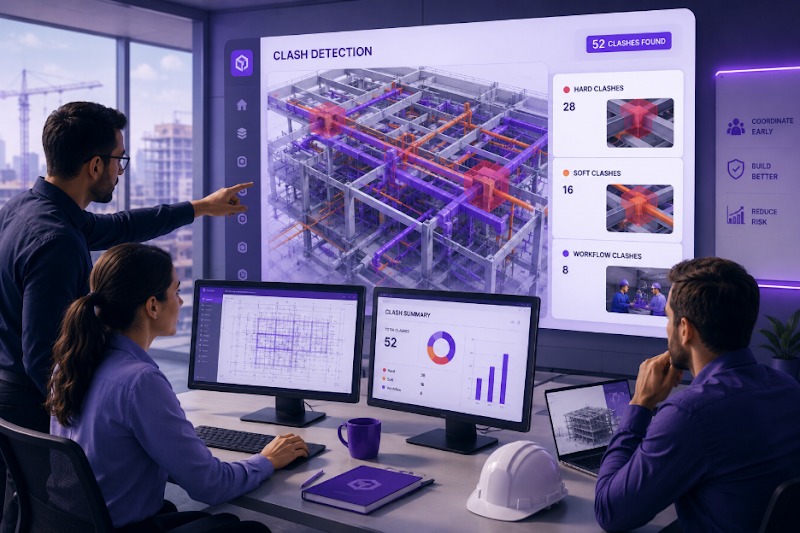
Clash detection is the process of identifying conflicts between design components before they become costly problems on the job site. It’s a quality-control process used in construction and design within a virtual model. The core idea is that when an architect, structural engineer, and MEP engineer each develop their models independently and combine them into a single project, it often reveals intersections and interference that were previously not visible in isolation. These intersections are what we call “clashes.”
According to the National Institute of Standards and Technology (NIST), the US construction industry spends approximately $15.8 billion annually due to inadequate interoperability (source: NIST GCR 04-867). A large percentage of this cost traces back to design conflicts discovered too late. Clash detection helps us find these issues early before any structural elements are in the ground, so teams can address and resolve them during the design stage rather than during construction when changes and rework are exponentially more expensive.
What Is Clash Detection in BIM?
In a Building Information Modeling workflow, clash detection takes on a more structured and automated role. BIM clash detection uses federated models from multiple disciplines aggregated into one environment to flag geometric and spatial conflicts across architectural, structural, and MEP (mechanical, electrical, and plumbing) systems. This federated model becomes the single source of truth for coordination. So teams can use it to run systematic clash tests, review results, assign resolution ownership, and track fixes across design iterations.
With the advent of digitization in the construction industry, BIM clash detection is now a standard practice during preconstruction and design development for most teams, especially in commercial construction. It is embedded in project coordination workflows on most large-scale builds, like hospitals, airports, data centers, and mixed-use developments, where the density of intersecting systems makes manual review virtually impossible.
Now, coming to the most widely asked question: Does BIM software automatically detect clashes between building systems? The answer is yes; it can automatically detect clashes, but with the right setup. The two common approaches are as follows:
- Rule-based automation: In this, a BIM coordinator defines a set of clash tests specifying which models to compare and which conditions constitute a clash. Every time there’s a new model version, these tests are automatically re-run, flagging new conflicts and clearing resolved ones.
- Cloud-based aggregation: In this approach, models are uploaded to a shared cloud environment where they are automatically federated and clashed. No manual test configuration is required at all, and any team member, regardless of expertise, can filter and review the results. In fact, changes made in the authoring tools are reflected immediately, so the impact of design decisions is visible as they happen. This approach allows coordination to happen more frequently and across larger teams, which is particularly valuable for fast-paced projects.
Why Does Clash Detection Matter in Construction?
The straightforward answer is that it saves money. Finding and resolving a conflict in a model costs only a fraction of what it costs to fix it during construction. According to research conducted by the Construction Industry Institute, rework caused by errors, omissions, or conflicts accounts for 5 to 15% of the total project costs. And design conflicts that aren’t caught early are the primary driver.
Even beyond financial cases, clash detection helps teams with the following:
- Schedule protection: If there were fewer RFIs and field conflicts, there would be fewer delays.
- Trade coordination: When subcontractors can work from clash-free drawings, it naturally reduces on-site friction.
- Safety: Eliminating tight, competing systems reduces installation risks.
- Owner confidence: Delivering a coordinated set of construction documents helps build trust and reliability with the owners and clients.
“Coordination is not a luxury, but the foundation of a predictable build. Clash detection is where that foundation is laid.”
Types of Construction Clashes
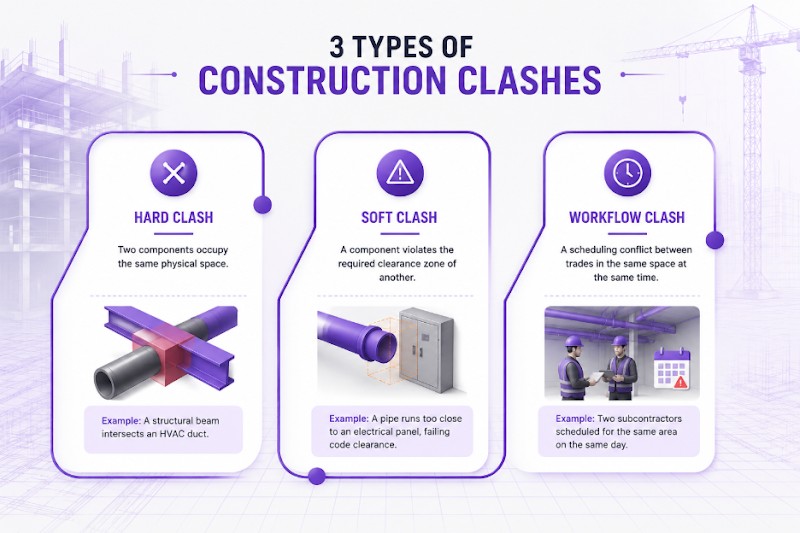
Before we look further into how clash detection integrates with other workflows, let’s explore the three main types of construction clashes. This helps teams prioritize resolution and set the right detection rules. Consider the following table for a detailed explanation:
| Clash Type | Definition | Example |
|---|---|---|
| Hard Clash | Two components occupy the same physical space. | A structural beam intersects an HVAC duct. |
| Soft Clash | A component violates the required clearance zone of another. | A pipe runs too close to an electrical panel, failing code clearance. |
| Workflow Clash | A scheduling conflict between trades in the same space at the same time. | Two subcontractors were scheduled for the same area on the same day. |
Hard clashes are the easiest to detect and the most expensive ones to fix if missed. On the contrary, soft clashes require clearance tolerance rules to be defined upfront so they can be identified. Lastly, workflow clashes are often the most overlooked ones. Because of this, more and more teams are now opting for 4D BIM, that is, BIM with scheduling data, to find them.
What Is Clash Detection Software?
Clash detection software enables federated model review and automated conflict identification. When choosing the right clash detection software, you must consider your project type, BIM authoring tools, team size, and coordination workflow. Also, to maintain consistency in coordination processes, you can standardize one platform across your portfolio.
Currently, the most widely used platform is Navisworks Manage by Autodesk, and it has already become the industry standard for Navisworks clash detection. But you can also explore other tools like the following:
- Autodesk Construction Cloud (ACC)/BIM 360 Coordinate: It’s cloud-based and easily accessible for non-BIM specialists.
- Solibri: Its strongest suit is model checking and rule-based validation.
- Bentley ProjectWise Navigator: It is mostly used for infrastructure-heavy projects.
How Does Clash Detection Fit Into the Construction Workflow
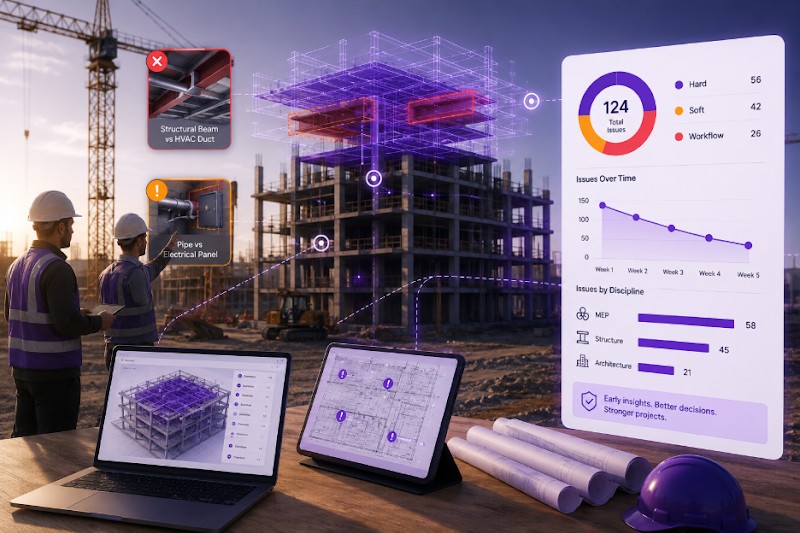
Clash detection should never be treated as a one-time event that needs to be checked off a list. Instead, it must be a recurring activity in order to gain the best benefit out of it. Thus, for effective use, you can typically integrate clash detection in your construction workflow as follows:
- Model submission: Each trade or discipline submits their current model to the shared coordination environment on a pre-defined schedule, like weekly or biweekly.
- Automated clash run: The federated model automatically undergoes clash runs on submission.
- Clash review meeting: The VDC or BIM coordination team reviews new clashes with leads of the respective trades or disciplines.
- Clash ownership assignment: The superintendent or project manager assigns the clash to the responsible stakeholder for resolution.
- Model update and re-clash: Updated models are re-submitted and re-clashed to confirm that resolution has been successful.
- Coordination sign-off: Once the clash count falls below the accepted threshold, the model can be issued for construction.
Now teams are expected to repeat this same cycle through design and preconstruction phases. On complex projects, many teams continue it well into early construction as shop drawings are incorporated steadily and real-world conditions are continually captured.
Common Clash Detection Error to Avoid
Before we wrap up, let’s look at some of the common clash detection errors that you and your team can avoid:
- Running clashes only once: As mentioned before, clash detection must be a recurring activity as design changes constantly. Only one clash run is rarely ever enough.
- Ignoring soft clashes: Soft clashes, like clearance violations, may not block installation immediately, but they often cause larger obstacles later, like code or maintenance issues.
- No ownership of clashes: As soon as a clash is detected, it must be assigned immediately. If nobody takes ownership and accountability, it will never get resolved.
- Treating all clashes equally: While all clashes are important to be resolved before construction begins, not all of them are equally critical. Prioritize based on the amount of impact it causes on the schedule and construction sequence.
- Skipping workflow clashes: Trade sequencing conflicts are the real clashes. Teams are advised to use 4D coordination to surface them.
Catch Conflicts Before They Reach the Field
Clash detection is one of the highest-leverage activities in preconstruction. It helps teams detect intersections, conflicts, interferences, and all sorts of issues at the design level itself, rather than wait till the construction phase and bear the cost of rework. Thus, every conflict resolved in the model is a costly RFI, delay, or rework episode that never happens.
At the same time, it is essential to understand that even a thoroughly coordinated set of construction documents does not guarantee a conflict-free build. A lot of times, field conditions tend to change, substitutions occur, and sequencing changes. So what was clash-free in the model may not match what gets installed in the end. Hence, you need a system where the coordination process extends into construction itself. Track3D can help you here.
We assist project teams in closing the loop between the coordinated BIM model and what is actually being built in the field. Teams can identify where field installations are diverging from the coordinated design by comparing the reality capture data with the BIM and act before those divergences compound.
If you are building a more connected coordination and progress-monitoring workflow, see how Track3D supports BIM-to-reality comparison in the field.
Frequently Asked Questions
Q1. What is clash detection?
Ans: Clash detection is the process of identifying conflicts between different building systems in a digital model before construction starts. It prevents situations where two elements, like a beam and a duct, are designed to occupy the same space. It is most often performed during the preconstruction and design development phases to reduce rework, improve trade coordination, and protect schedule and budget.
Q2. What is clash detection in BIM?
Ans: In BIM, clash detection is a structured coordination process where discipline-specific models are combined into a federated model and tested for conflicts. It is one of the core functions of BIM coordination and is a standard practice on most commercial construction projects.
Q3. What is clash detection software used for?
Ans: Clash detection software federates models from multiple disciplines and automatically identifies where components intersect or violate clearance rules. It is used by VDC teams and BIM coordinators to manage design conflicts during preconstruction.
Q4. Does BIM software automatically detect clashes between building systems?
Ans: Yes, most BIM coordination platforms can run automated clash tests when models are federated. Cloud-based tools, like Autodesk Construction Cloud, go further by automatically aggregating and clashing models on upload without requiring manual test configuration.
Q5. What is the difference between a hard clash and a soft clash?
Ans: A hard clash is a direct physical intersection between two components. A soft clash occurs when a component violates the required clearance buffer of another, for instance, a pipe that does not touch a duct but sits too close to meet code or maintenance requirements.