Introduction
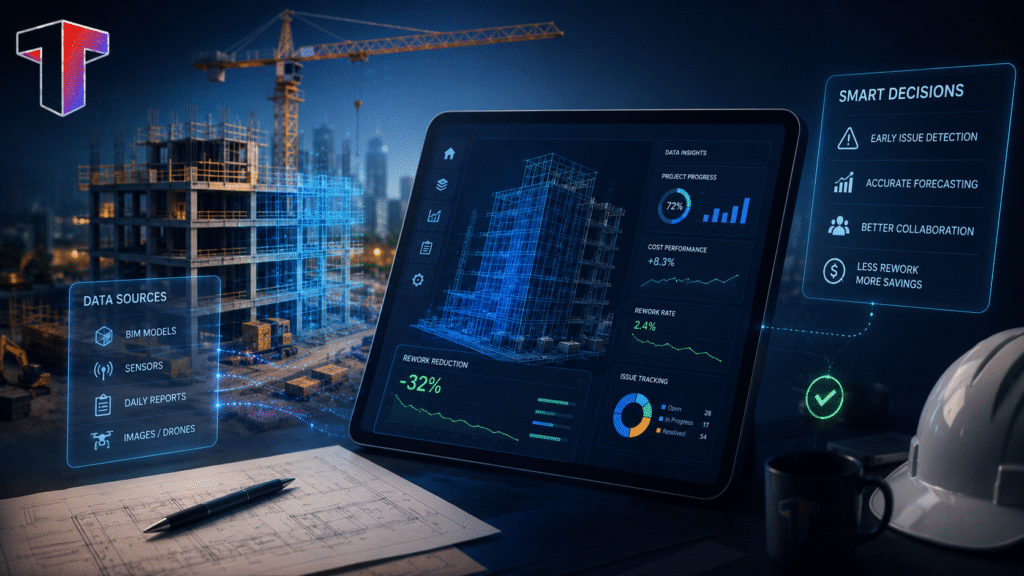
In today’s fast-paced world, construction projects generate huge amounts of site data, from drone footage and laser scans to progress visuals and terrain measurements. But most teams remain confused about what to do with the data. Collecting data is only the tip of the iceberg – the real challenge is turning it into something useful. And that’s where construction mapping software comes in! These tools help teams visualize sites, monitor progress, verify as-builts, and improve field-to-office coordination with better accuracy and speed.
Most teams are already aware of these tools to some extent, but are unsure of where to begin or which ones to choose. But it is crucial to understand that the right platform can make a huge difference. In this guide, we’ll look at the best construction mapping software available in 2026, its features, use cases, and top recommendations. We’ll also explore Track3D’s best products and how they can help your teams. Continue reading to find out!
Key Takeaways
- Construction mapping software converts drone footage, laser scans, and field data into usable outputs like 3D models, maps, and volume measurements.
- Different tools serve different purposes, like data capture, managing workflows, and turning data into actionable insights.
- Top platforms in 2026 include Track3D, Autodesk Construction Cloud, Procore, Trimble Siteworks, and Pix4D.
- Choosing the right software depends on your main problem, user, existing technology, and long-term requirements.
- Integration with existing digital tools is critical for smooth workflows and better ROI.
- Track3D adds a Reality Intelligence layer on top of the tools you already use.
What Is Construction Mapping Software?
Construction mapping software processes aerial imagery, drone footage, laser scans, or field data into usable outputs, like ortho mosaics, 3D models, point clouds, digital elevation models (DEMs), and volume measurements. Once available in this format, teams can use them for topographic surveys, as-built verification, progress tracking, earthworks monitoring, and field-to-office coordination. Thus, construction mapping software is a fairly simple yet great tool that can transform the way your teams work.
Top Construction Mapping Software in 2026
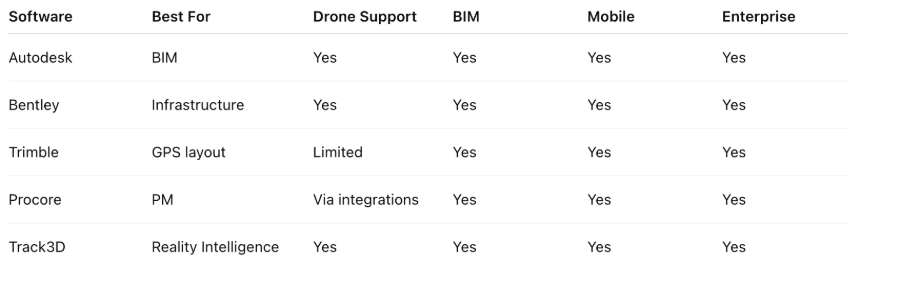
In this section, let’s take a look at the best software for drone maps in construction.
#1 Track3D: Reality Intelligence
Best for: Capturing data from the jobsite and generating insights in near real-time.
- Works with data captured with any source, like 360° cameras, drones, laser scanners, mobile devices, or autonomous systems.
- Adds an analytical layer that turns this data into actionable insights.
- ProgressTrack automatically compares what has been installed against what was planned, by trade and zone.
- The tool flags the discrepancies without the need for a manual review.
- VisualTrack consolidates all reality capture (visuals captured from the jobsite) into a single platform. This replaces the fragmented documentation and similar conventional means followed by construction teams.
- Also integrates directly with Procore and Autodesk, so no need to shift tools. You can use it with the system you already have!
#2 Autodesk Construction Cloud (ACC)/BIM 360
Best for: BIM coordination and design-to-field data management
- Centralises BIM models, drawings, and field data across the entire project lifecycle.
- Autodesk ReCap Pro (part of the ecosystem) converts drone imagery and laser scans into point clouds, meshes, and 3D models that feed directly into Revit, Civil 3D, and Navisworks.
- Supports clash detection, model coordination, and document control in one connected environment.
- Aligns field and design teams through RFI, submittal, and issue tracking.
- Widely adopted by GCs, design-build firms, and owners managing complex, multi-disciplinary projects.
- Recommended for design-build and general contracting teams who need a single source of truth across design models, field documentation, and construction data.
#3 Procore
Best for: End-to-end construction project management with strong field-to-office connectivity
- Cloud-based platform.
- Covers preconstruction, project management, finances, and field operations.
- Centralizes RFIs, submittals, drawings, daily logs, inspections, and punch lists into one place.
- Built with a mobile-first design, it helps field teams to update and access data from any device.
- Connected to mapping, BIM, and ERP tools by open API and a large integration marketplace.
- Widely used by GCs and owners as the central system that other tools merge with.
- Recommended for general contractors and project owners who need a command center for the full project, with field and office teams working from the same data.
#4 Trimble Siteworks
Best for: Field-first GPS-guided layout and as-built data collection
- Field-based software.
- Connects to Trimble GNSS receivers for centimeter-level positioning on the jobsite.
- Supports staking, as-built data collection, and machine control guidance in the field.
- Integrates natively with Trimble Business Center and connects to Procore for seamless data handoff.
- Part of Trimble’s broader Connected Site ecosystem, including total stations and grade control.
- Recommended for site superintendents, layout crews, and civil and earthworks teams needing accurate GPS-guided field layout and real-time as-built capture without waiting for office-side processing.
#5 Bentley iTwin Capture
Best for: Infrastructure-scale reality capture and digital twin creation
- Converts drone video, aerial imagery, and laser scans into high-resolution 3D reality meshes, point clouds, and orthophotos.
- Handles large and complex infrastructure projects.
- Scalable from individual assets to entire cities.
- Integrates with Bentley’s larger engineering ecosystem, including MicroStation, ProjectWise, and SYNCHRO.
- Accepts data from terrestrial, mobile, and aerial mapping systems; that is, hardware-neutral.
- Extracts features and delivers data-driven insights from reality models through AI and machine learning tools.
- Recommended for infrastructure owners, engineering firms, and capital project teams who need high-fidelity reality capture connected to their engineering and digital twin workflows.
#6 Pix4D
Best for: Survey-grade drone photogrammetry and 3D construction mapping
- Industry-standard photogrammetry suite trusted by surveyors, engineers, and mapping professionals since 2011.
- Pix4Dmapper and Pix4Dmatic deliver 1 to 2 cm absolute accuracy when paired with RTK drones and ground control points (GCPs).
- Produces outputs, like professional orthomosaics, dense point clouds, digital surface models (DSMs), and 3D textured meshes.
- Pix4Dcloud enables team collaboration, progress tracking, and site documentation in a browser without the need for a desktop.
- Integrates with Autodesk Construction Cloud (embeds as a BIM 360 Partner Home Card) and exports to CAD and GIS formats.
- Recommended for surveyors, engineers, and construction teams needing certified, survey-grade drone mapping outputs that feed directly into BIM, CAD, and GIS workflows.
#7 Fieldwire
Best for: Field task management and plan coordination for crews on-site
- Acquired by Hilti in 2021.
- Purpose-built for jobsite crews, like foremen, subcontractors, and superintendents.
- Contains a fast plan viewer with markup, versioning, and offline access from any mobile device.
- Enables task management with deadlines, priorities, and photo attachments so field teams stay accountable.
- Streamlines closeout and quality workflows via punch list, inspection, and daily report tools.
- Integrates with Procore, Sage, Viewpoint, and CMIC.
- Recommended for subcontractors and GC field teams who need a mobile-first tool for task coordination, plan access, and issue tracking without the complexity of a full enterprise platform.
#8 BuildOps
Best for: Field service management for mechanical, electrical, and plumbing contractors
- Cloud-based platform.
- Covers scheduling, dispatch, work orders, and field technician coordination.
- Offers real-time GPS tracking.
- Keeps office and field crews connected throughout the day via mobile access.
- Integrates job costing, invoicing, and payment processing, tied directly to field activities.
- Provides customizable dashboards and reporting that give operations managers visibility into team performance and project finances.
- Integrates with QuickBooks and major accounting systems.
- Includes certification tracking that supports compliant dispatching.
- Recommended for MEP and specialty contractors managing mobile field teams who need a unified platform for dispatch, work order management, job costing, and billing.
#9 InEight
Best for: Capital project controls, like cost, schedule, and scope management, at scale.
- Covers estimating, budget control, scheduling, field execution, and document management.
- Helps capital project teams catch overruns early through built-in earned value management (EVM) and real-time budget-to-forecast visibility.
- Aligns field crews with planned scope through work packaging tools to reduce ambiguity and rework.
- Automatically connects scope changes to cost and schedule impacts through advanced change order management.
- Integrations open API and ERP to support large organizations managing complex, multi-site capital programs.
- Recommended for capital construction owners and program managers overseeing large, complex projects where cost control, schedule adherence, and risk management are mission-critical.
#10 Oracle Primavera P6
Best for: Enterprise-level project scheduling and program planning.
- Industry-standard scheduling software.
- Supports multi-project environments with thousands of activities, resources, and dependencies.
- Includes critical path method (CPM) scheduling with baseline comparisons, resource leveling, and earned value tracking.
- Integrates with Procore, InEight, and major ERP systems for connected cost and schedule data.
- Recommended for owners, program managers, and contractors managing long-duration, complex capital projects.
How to Choose the Right Construction Mapping Software
Choosing the best 3D construction mapping software can be tough. You need to keep in mind several things to ensure that it’s the right tool for everyone on your team. To help you out, here is a list of questions you can ponder over while making the decision:
Learn how drones for construction projects support site mapping, inspections and progress tracking.
See our full breakdown of the best drone mapping software for a deeper comparison.
The right platform also helps you get ahead of common construction risks before they escalate.
- What is the primary problem you are trying to solve?
Identify the main problem you are trying to address. Are you trying to capture accurate site data? Coordinate drawings across teams? Track earthworks volumes? Control project costs? Because the answer to each of those questions directs us to an entirely different category of tools. - Who will actually use it, and how tech-savvy are they?
Think about the main user and how they will use the tool. Because something that works well for a survey engineer may be completely unusable for a foreman running a crew of twenty. For instance, field crews need mobile-first, offline-capable interfaces; project managers need dashboards and reporting; and engineers need precision outputs and integrations. Moreover, are they tech-savvy? If they’re not comfortable with complicated tools, you might experience some resistance in adopting the tools. - What do you need your data to do for you after it’s captured?
Most conventional construction teams focus on data capture. But that’s only the first step. What happens to the data next? Does it need to go into a BIM model? Or feed a P6 schedule? If you don’t have a solid answer to this question, you’re risking getting a tool that provides little to no practical value to the workflow. Thus, map the need for the data first, then work backwards to the capture tool. - What platforms are you already running?
The new tools that you get must be compatible with the systems you already have. Otherwise, you’ll have to invest more money than necessary just to make sure the system works properly. For instance, if your team uses Procore, you need tools that connect to Procore. If your design workflow runs through Autodesk, outputs need to feed Civil 3D or Revit without manual re-entry. If scheduling runs in P6, site data should be able to flow back into your program. - What level of accuracy does your use case actually require?
Not every task needs survey-grade accuracy. For example, progress photos and rough volume estimates might be enough for a weekly site meeting. On the other hand, a licensed survey for a regulatory submission needs something entirely different. If you go for over-specified accuracy, it will add cost and processing time. But under-specifying it creates liability. Hence, be honest about the deliverable, and then match the tool to that standard. - How will you measure whether the software is working?
Before getting started, you should have a defined metric of success for the software you’re planning to adopt. Are you looking for fewer RFIs, faster progress reporting, reduced survey costs, or fewer clashes in the field? Articulating a measurable outcome (and not just a list of features) helps you evaluate whether the tool is delivering value in the long term.
Parting Words
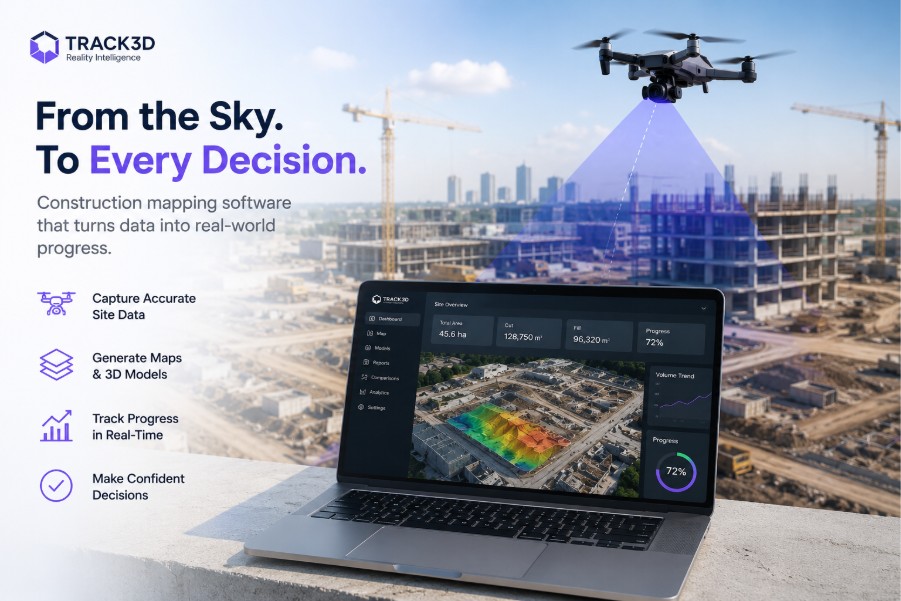
Digitization is the future of construction. Conventional means and traditional tools of project management are no longer working for the pace at which most teams function. Thus, the obvious solution is digital tools that increase efficiency, reduce the workload, and help teams focus on their priorities. Construction mapping software is built exactly for that. It simplifies the process of capturing data from the jobsite, turning it into an easily understandable format, and generating actionable insights from the data. Basically, a straightforward solution to the constant hassle of data management and visibility.
Frequently Asked Questions
Q1: What is construction mapping software used for in 2026?
Construction mapping software is used for topographic surveys, as-built verification against BIM models, earthworks volume tracking, site progress reporting, field layout, and project controls. Its categories include tools from reality capture and 3D construction mapping software to field execution platforms.
Q2: Can construction mapping software integrate with Procore, Autodesk, or Trimble?
Yes. Track3D integrates with all three. Most tools discussed in this guide integrate with one or more of these platforms. For example, Procore is the most common integration hub, and Fieldwire, Trimble Siteworks, InEight, and BIM 360 all connect to it. Autodesk’s ecosystem connects ReCap, BIM 360, and Civil 3D.
Q3: How do I decide between these tools?
Start with the main problem you’re trying to address and the people who will be using the tools. For example, field crews need mobile-first tools; engineers need model access; owners need project controls. Most construction teams use more than one tool across these layers, connected through common integration platforms.
Q4: Does Track3D replace any of these platforms?
No, Track3D is not designed to replace these platforms but to work alongside them. It integrates with Autodesk, Procore, and Trimble and adds Reality Intelligence on top of the data you are already capturing, without changing your existing workflow.