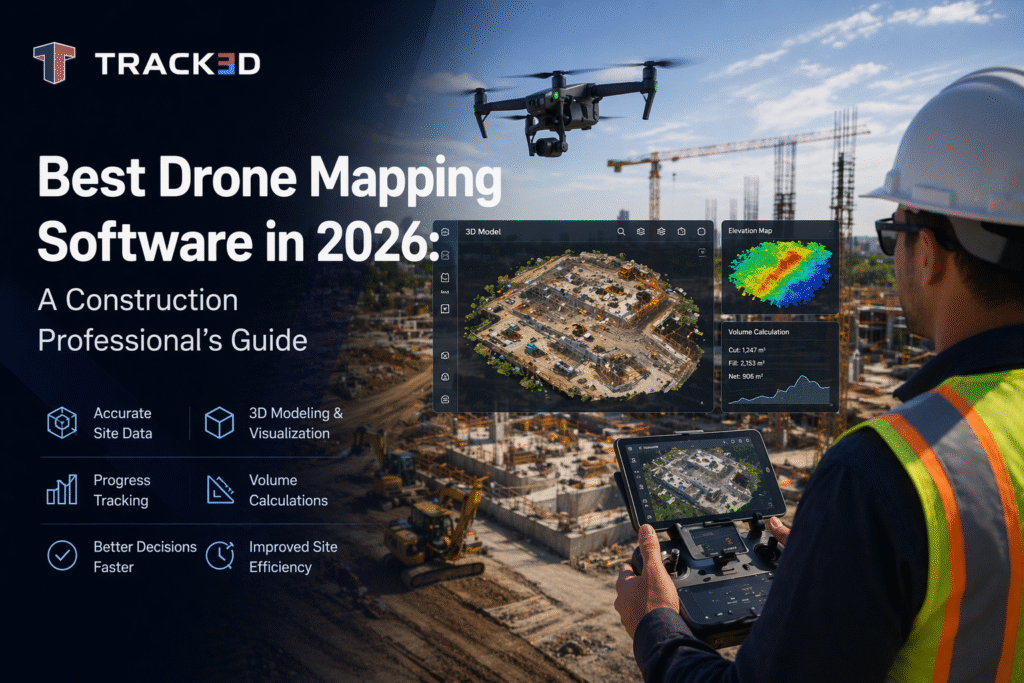
The biggest enemy of construction teams has been the unreliability of manual measurements and the safety risks caused by conventional means of surveying and progress tracking. However, drone mapping software is here to change that. With its help, teams can use aerial data to build accurate, measurable views of their projects. From early-stage site analysis to ongoing progress tracking and final verification at handover, this technology supports decisions at every phase. Drones have revolutionized construction workflows; explore more about the drone monitoring capabilities and their impact on project management. Drones have revolutionized construction workflows; explore more about the drone monitoring capabilities and their impact on project management.
In this guide, we explore what drone mapping software is, how it works, and what output it produces. We also look at how construction teams can make use of the drone mapping software and the process of choosing the right one for your team. Continue reading to find out more!
Key Takeaways
- Drone mapping software converts aerial images into accurate, measurable 2D maps and 3D models for construction projects.
- The core technology is photogrammetry, which enables teams to generate survey-grade data without manual site measurements.
- The fundamental workflow of drone mapping software includes flight planning, data capture, processing, and integration into project systems.
- Key outputs include ortho mosaics, DEMs, point clouds, volumetric data, and 3D meshes. Each of these has specific site applications.
- Major use cases include topographic surveys, earthworks tracking, stockpile measurement, inspections, and as-built verification.
- Drone mapping software delivers real value only when the data is connected to BIM, schedules, payments, and coordination workflows.
- The best software in the foreseeable future focuses on automation, real-time insights, and seamless integration with project intelligence systems.
What Is Drone Mapping Software?
Drone mapping software is a system that processes overlapping aerial photographs captured by a UAV during a planned survey flight into accurate, georeferenced spatial datasets. The core technology it uses is photogrammetry. In this, angles and overlaps between hundreds of individual images are used to reconstruct highly precise 2D maps and 3D models of the physical environment. This core technology, known as photogrammetry, converts aerial images into measurable spatial data and continues to advance in construction applications.
To go further into the workings of drone mapping software, let’s look at the two main processing environments that exist:
- Cloud-based platforms: In these, the imagery is processed remotely, the turnaround is fast, and teams can experience collaborative access. It is best suited for construction teams who prioritize speed and data sharing.
- Desktop-based platforms: In these, the imagery is processed locally, and there’s greater control over accuracy parameters. This is best suited to survey-grade precision and sensitive project data.
Thus, based on what your team needs more of, you can make a choice between the two major types of drone mapping software.
How Does Drone-to-Map Software Work?
In this section, let us understand how drone mapping software functions so teams can get better returns on their investments. Here’s how it functions:
- Step 1: Flight Planning
Always start with a solid plan in place. You need to define the survey area, flight altitude, and image overlap settings. Also, place ground control points across the site. This way, you have physical markers, measured with GPS, that anchor the processed data to real-world coordinates. It is crucial to understand that these steps, while they may appear to be trivial, are critical to achieve survey-grade accuracy.
- Step 2: Data Capture
In the next step, the drone flies a systematic and planned mission, thus capturing hundreds of overlapping images. It is equally important to keep in mind that image quality, lighting, and wind speed all affect the accuracy of the output. If you’re dealing with a complex site, you can use LiDAR sensors to supplement camera imagery for greater precision on irregular terrain.
- Step 3: Processing
Moving further, images are uploaded to the drone mapping software, where the photogrammetry algorithms collate them into a unified spatial dataset. Processing time can range from minutes to several hours, depending on the type of output required, the complexity of the project, and the size of the jobsite. The same principles behind photogrammetry in construction turn these image sets into precise, measurable models of the site.
- Step 4: Output Generation and Integration
All captured data is only useful if it is integrated into the everyday workflow. Thus, as the final step, the processed data is exported and integrated into project management platforms, BIM models, and spatial intelligence tools. This way, construction teams get the most significant value from drone mapping software by direct application.
Top 5 Drone Mapping Software in 2026
In 2026, drones continue to play an important role in mapping, improving the efficiency of construction, mining, farming, and infrastructural projects. Proper software selection may bring great benefits for data analysis, collaboration, and decision-making for such industries.
Below is a list of the best drone mapping software of 2026:
1. Track3D
In 2026, Track3D turned out to be among the most recognized mapping services through drones in the construction sector. It applies drone technology and artificial intelligence and has an excellent range of 3D visualizations that assist in managing construction projects and teamwork.
The thing that sets Track3D apart from other platforms is that its main focus lies in the construction sphere, offering a construction-oriented workflow that allows teams to create highly accurate site maps, track their progress, spot potential delays, and collaborate within a visual project dashboard.
Key Features:
- AI-powered construction progress tracking
- High-accuracy 3D mapping and visualization
- Time-lapse site comparison and reporting
- Easy collaboration across project stakeholders
- Scalable solution for enterprise construction projects
2. Pix4D
Pix4D is a highly reliable drone mapping software providing sophisticated methods of photogrammetry and 3D modeling. This tool is widely used in surveying, agricultural, mining, and construction industries.
The application allows for effective terrain modeling, point cloud processing, and orthomosaics creation.
Key Features:
- Advanced photogrammetry engine
- Detailed 2D and 3D mapping outputs
- Strong surveying and inspection capabilities
- Cloud and desktop processing options
3. DroneDeploy
DroneDeploy is a popular cloud-based platform for mapping that uses drone images. It is famous for its ease of use and automation capabilities. The program allows users to make their maps based on drone images with no knowledge of computer technologies.
The application is widely used for project monitoring, site inspection, and asset management.
Key Features:
- User-friendly cloud-based platform
- Automated flight planning
- Real-time collaboration tools
- AI-powered site analytics
4. Agisoft Metashape
Agisoft Metashape creates highly accurate photogrammetric and geospatial outputs. The application is extensively used by industry professionals who require high customization and precision in terrain reconstruction.
It supports complex mapping projects and offers various tools for point clouds, DEMs, and textured 3D modeling.
Key Features:
- High-resolution 3D reconstruction
- Advanced geospatial processing
- Accurate point cloud generation
- Flexible workflow customization
5. DJI Terra
DJI Terra is a powerful solution for efficient aerial mapping, reconstructions, and mission planning specifically for the DJI drone ecosystem. It is an effective tool for professionals working with DJI drones.
It is commonly applied for infrastructure inspections, land surveys, and construction progress monitoring.
Key Features:
- Seamless integration with DJI drones
- Fast aerial mapping workflows
- Real-time mission planning
- Efficient 2D and 3D reconstruction
Why Choose Track3D for Construction Drone Mapping?
The construction industry today is not only concerned about aerial imagery but also requires insights that would enhance its efficiency and teamwork. With Track3D software, drones provide meaningful intelligence on-site processes that can be utilized right away to enhance work performance.
Track3D is different from other drone mapping apps since it was created specifically to serve construction projects. The software assists project managers and contractors in controlling their progress visually and keeping a record of everything going on at the worksite.
With AI-powered analysis, improved 3D images, and centralized reporting, Track3D provides the means for reducing unnecessary effort in monitoring projects.
Benefits of choosing Track3D include:
- Faster and more accurate site monitoring
- Improved project collaboration
- Real-time progress visualization
- Better reporting and documentation
- Scalable workflows for complex construction projects
As construction technologies advance in 2026 and beyond, platforms such as Track3D are assisting organizations in progressing towards smart data-driven project management.
What Does Drone Mapping Software Produce and How Do Teams Use It?
In the following table, we understand the different types of output the drone mapping software produces, what they mean, and how construction teams use them. This is an important part of the process because it helps teams work smarter and use this technology as project intelligence and not just a documentation tool.
| Output | What Does This Mean? | Construction Use |
| Ortho-mosaic maps | These are geometrically correct aerial photographs stitched from hundreds of drone images that are accurate enough for direct measurements at centimeter-level precision. | Weekly progress documentation, drawing overlays, comparing planned vs. actual site layout, and visual progress reports for owners and stakeholders. |
| Digital Elevation Models | These are georeferenced 3D representations of terrain elevation. DEMs show bare ground. On the other hand, DSMs (Digital Surface Models) include surface features such as structures and stockpiles. | Verification of earthworks design, formation level checks, drainage gradient analysis, and cut-and-fill volume calculations on civil and infrastructure projects. |
| Point Clouds | These are dense collections of georeferenced 3D data points that represent physical site surfaces and typically contain millions of individual measurement points. | As-built verification against the BIM model, structural deviation detection, and facade condition assessment on tall or complex buildings. |
| Volumetric Calculations | These are automated material volume measurements carried out using elevation data, which replace manual measurement with aerial data. | Stockpile measurement, earthworks progress tracking, and material reconciliation against the bill of quantities on infrastructure projects. |
| 3D Textured Meshes | These are photorealistic 3D models of the site built from processed drone imagery. | Stakeholder visualization, design intent comparison at programmed milestones, and client progress reporting. |
Construction Use Cases Where Drone Mapping Delivers Real Value
We can only truly understand the value of any tool when we see its direct applications. Similarly, to comprehend how well the drone mapping software works, we look at how it delivers real value to construction teams and their projects. Here are a few examples:
- Topographic site surveys: Before the project starts, there needs to be a thorough survey of the jobsite. This is where the system of drone mapping can help. Pre-construction surveys can be completed in hours, existing ground conditions get captured easily, and the baseline data that underpins earthworks design, drainage planning, and setting out is structured well.
- Earthworks progress monitoring: When drones are regularly flown over areas where soil is constantly being moved, it helps capture data in order to figure out how much work has been completed with respect to the original design. Now teams can measure how much earth has been moved without the need for manual surveys, track whether the work is on schedule, and provide accurate data for progress payments.
- Stockpile and volume measurement: Construction projects always have a safety element to take care of. Thus, in situations where there’s a high risk, drones can be used. Automated volume calculations for aggregate stockpiles and spoil heaps eliminate the safety risk of surveyors who are supposed to work near the active earthmoving parts.
- Facade and roofing inspection: Another advantage from the perspective of safety on the construction site. Drone mapping can help with generating high-resolution imagery of external cladding and roofing, identifying defects, panel misalignment, and waterproofing failures without the need for scaffolding or rope access.
- As-built verification: When survey flights are conducted regularly, over time, they create a timestamped spatial record at each construction stage. This comprehensive record supports as-built comparison against the design model and provides verified progress data for handover documentation.
Connecting Drone Data to Project Intelligence
As mentioned above, this is potentially the most important step in adopting a drone mapping system. Capturing and processing drone data is only half the task. Once this step is done, if your processed output continues to sit in a shared folder with no real value, then you will not see any returns. You need to connect this data to a project model and the everyday workflow.
Here are a few of our top recommendations:
- The BIM or 3D project model: Automated comparison of the drone point cloud against design intent helps in flagging deviations spatially before they become major defects.
- The construction program: Progress data is connected to the programmed baseline. This supports earned value calculations without any manual input from the team.
- The payment application: Verified aerial progress data supports the schedule of values’ claims rather than self-reported percentage complete figures. This helps with the payment application.
- The coordination workflow: Spatially referenced issues get identified from drone data that is logged directly into the project model for resolution.
Any one of these helps in turning processed aerial data into verified construction progress intelligence that feeds directly into programmed reporting, coordination workflows, and payment applications.
How to Choose the Best Drone Mapping Software?
Oftentimes, when teams are confused about which drone mapping software to pick, they tend to choose the one that has the longest list of features. However, that’s not necessarily useful every time. On the contrary, you need the one that will give you the most efficient output and whose results will tie in with your decisions effectively. If you’re confused about how to proceed, ask yourself and your team the following questions:
- Output accuracy: Does the platform meet your survey or payment claim accuracy requirements with and without ground control points?
- Processing environment: Does cloud or desktop processing suit your data sensitivity and turnaround time needs?
- BIM integration: Can outputs be exported in formats compatible with your existing BIM platform, such as IFC, LAS, OBJ, and GeoTIFF?
- Output types: Does the platform produce Ortho-mosaics, DEMs, point clouds, and volumetric reports in the same processing run?
- Project intelligence integration: Can processed data connect directly to your spatial project model without manual re-entry? This is the major question that separates platforms from documentation tools to project intelligence supplements.
Why Choose Track3D for Construction Drone Mapping?
Before we close the guide, let’s look at the direction in which drone mapping software is heading. Understand that the best construction tech for drone mapping in the coming times is not the one that can merely produce the most accurate point cloud. Instead, it is the one whose outputs connect most seamlessly to the project intelligence layer, where construction decisions are made.
- AI-powered Change Detection: The AI system automatically identifies what has changed between survey dates without the need for manual dataset comparison. Track3D’s ProgressTrack platform automatically compares drone-captured point clouds and orthomosaics against BIM models, enabling teams to monitor progress and detect deviations in real-time.”
- Automated As-Built Comparison: The system automatically compares point clouds against BIM models so that any deviations are spatially flagged without delay.
- Automated Processing: Cloud platforms reduce the gap between drone flight and actionable output to minutes, compared to what previously took hours.
- Drone-To-Model Workflows: Processed outputs are programmed to flow directly into spatial project models as the survey completes.
- Integrated progress monitoring: Drone data automatically updates programmed completion metrics and earned value calculations.
Conclusion
Drone mapping software is no longer just a tool of documentation. Instead, it has evolved to become a crucial part of how construction teams measure, verify, and act on site progress. Drone mapping software can assist in conducting accurate surveys, automated progress tracking, and generating outputs that directly lead to impactful decisions.
As projects grow more complex and the construction industry continues to expand, teams that connect aerial data to BIM, scheduling, and cost systems will make faster and more informed decisions, thus gaining an edge over their competitors.
Explore how Track3d turns drone mapping outputs into verified construction progress intelligence, directly connected to your spatial project model.
FAQs: Drone Mapping Software
Q1. What is the best drone mapping software for construction in 2026?
The best drone mapping software for your construction team depends on your workflow requirements, output accuracy, BIM integration capability, processing speed, and how well the platform connects processed data to your project model. Evaluate these construction-specific criteria to make a smart choice rather than just comparing the general features.
Q2. What does drone-to-map software produce?
Drone to map software produces Ortho-mosaic maps, digital elevation models, point clouds, volumetric calculations, and 3D textured meshes. Each of these serves specific construction use cases, ranging from earthworks tracking to as-built verification.
Q3. What is the difference between cloud and desktop drone mapping software?
Cloud platforms process imagery remotely, offer a fast turnaround, and provide collaborative access. Desktop platforms, on the other hand, process imagery locally, offer greater accuracy, and provide control for sensitive or survey-grade work. Construction teams often use both depending on the output type and urgency required.
Q4. How accurate is drone mapping software for construction surveys?
With well-placed ground control points, drone mapping software achieves absolute accuracy of up to 1 to 3 centimeters. This is largely sufficient for most construction surveys, earthworks, and as-built verification applications. However, without GCPs, accuracy drops significantly.
Q5. What is the best construction tech for drone mapping in 2026?
The best construction tech for drone mapping combines accurate aerial data capture with a spatial intelligence platform. The system must connect processed outputs to the project model, programmed designs, and the payment process. Ultimately, it should deliver significantly more construction value than documentation-only workflows. Layering reality intelligence on top of raw captures helps teams turn site data into decisions rather than just records.