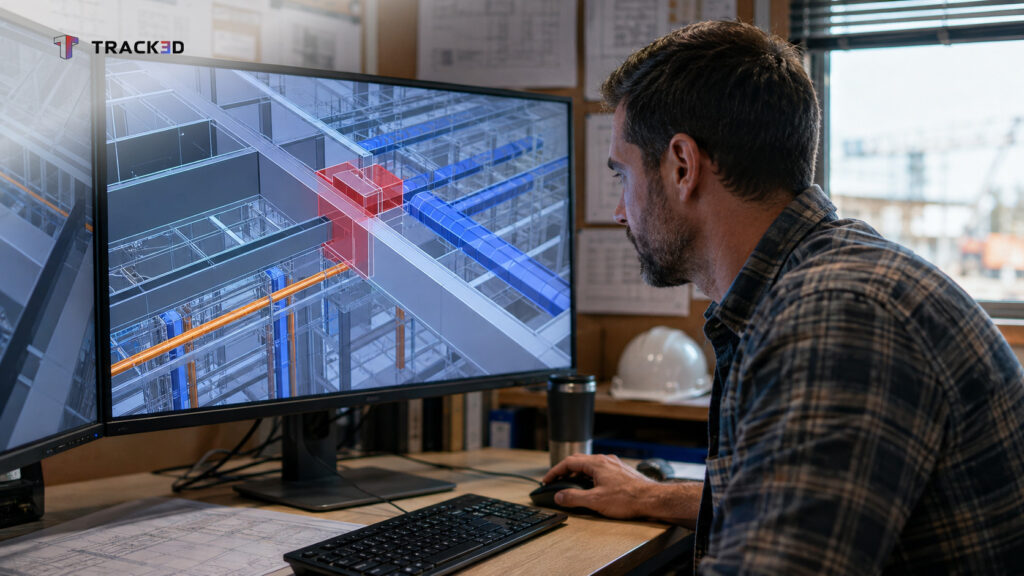
A mechanical coordinator opens the federated model two weeks before ductwork installation. A duct run cuts straight through a structural beam. The clash sits on screen, not on the jobsite, and nobody has to tear anything out to fix it.
That single catch isn’t an isolated win. As per a 2020 study in the Journal of Information Technology in Construction, the same coordination process caught more than 500 clashes before construction began on one industrial project. That project cut costs by 10 percent on a $100 million job. Every clash caught that early is one less crew stuck reworking installed material.
Key Takeaways
- BIM coordination is the process of combining discipline models into one federated model and resolving conflicts before construction starts.
- The process runs on a repeating cycle. The team combines models, flags clashes, reviews them together, then assigns fixes.
- Clash coordination catches design conflicts on screen, where fixing them costs a redline instead of a torn-out wall.
- VDC coordination is the broader discipline BIM coordination sits inside, covering schedule and cost alongside the model.
- Common coordination tools include Navisworks, BIM 360, and Revit, each covering a different piece of the workflow.
- Coordination only protects a project until the model and the actual jobsite start to drift apart during construction.
What Is BIM Coordination?
BIM coordination combines architecture, structural, and MEP models into one federated model. It then finds and resolves the conflicts between them before a crew builds anything. Ask a VDC manager what their job involves day to day, and coordination is most of the answer.
That work sits inside virtual design and construction, or VDC, a broader discipline covering schedule and cost alongside the 3D model itself. VDC coordination treats the model as the single source of truth for the whole project team, not a design handoff filed away once permits arrive.
The BIM Coordination Process, Step by Step
BIM coordination runs on a repeating cycle rather than a single event. Architecture, structural, mechanical, electrical, and plumbing each model their own scope and submit an updated file on a set schedule, usually weekly.
A coordinator uses coordination software to combine those files into one federated model, then runs a clash detection pass. That pass surfaces every place two elements occupy the same physical space.
The team reviews flagged clashes together in a recurring coordination meeting and decides which ones matter. A duct running near a beam with clearance is not the same issue as one running through it. The team assigns real clashes to whichever trade needs to fix its model, with a deadline tied to the next cycle.
Clash Coordination: Catching Conflicts Before They Reach the Field
Clash coordination is the piece of this process that finds conflicts between systems, structure, and architecture, then decides who moves. A duct, a beam, and a sprinkler main cannot all occupy the same six inches of ceiling space.
Catching that conflict on screen instead of on-site is cheap. A model redline costs a coordinator an afternoon. The same conflict found mid-installation costs a torn-out duct run and a delayed inspection.
A separate project in the same ITcon study recorded only 15 RFIs on an 8,400 square meter hospital job. A comparable project without BIM would typically generate hundreds.
Tools Used in BIM Coordination
Autodesk Navisworks remains the standard tool for combining models and running clash detection. It reads most major model formats without forcing every trade onto the same software. BIM 360, now part of Autodesk Construction Cloud, handles model sharing between meetings, while each trade typically models in Revit.
Best Practices for Effective BIM Coordination
Hold a fixed weekly cadence for model updates and meetings, even when a trade’s model is not fully ready. Reviewing a late model still beats skipping a cycle and letting clashes stack up undetected.
Assign a named owner to every clash, not just a shared list. A clash list with no named owner rarely closes out before the next meeting.
Bring field constraints into the meeting too, since a clash-free model that ignores a crane pick sequence just moves the same conflict to the site.
Set a clash-resolution deadline tied to the fabrication release date, not the next meeting date. A clash still open when a trade releases shop drawings for fabrication turns back into a field problem, exactly the outcome coordination was supposed to prevent.
Track resolved clashes against a version history, not just a current snapshot. A trade that “fixes” a clash by moving one run can quietly reopen it two model updates later, and only a version history catches that before it reaches the field.
Where BIM Coordination Breaks Down Without Field Verification
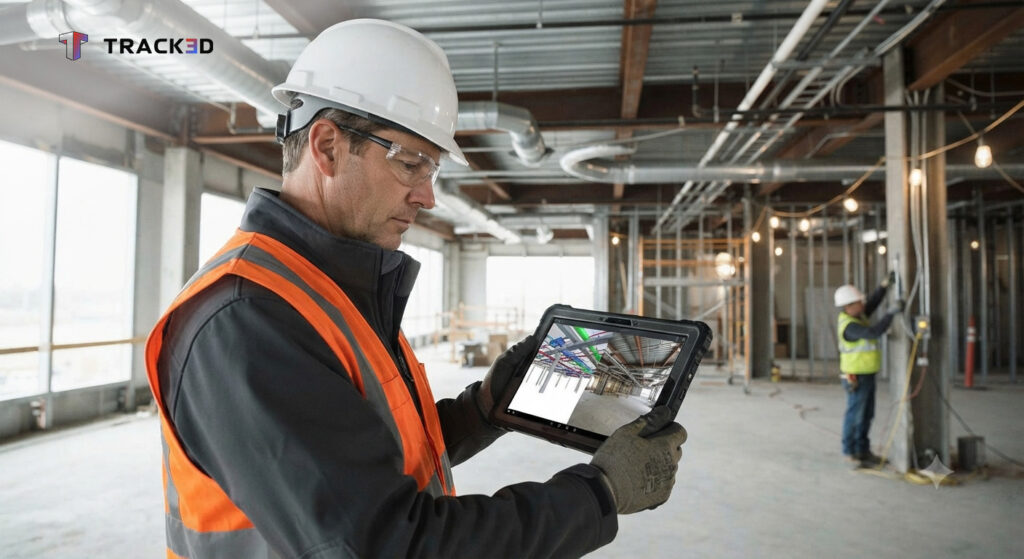
Coordination resolves the conflicts between models. It does not confirm a crew builds the coordinated result exactly as resolved. A duct installed two inches off location can reintroduce a clash the team already fixed on screen.
Most projects have no routine way to check installed work against the model once construction starts. The handoff from VDC to field teams is where a coordinated model most often starts drifting from what a crew actually builds.
Comparing a site capture against that same federated model closes the loop coordination alone cannot. Reality capture BIM integration checks installed conditions against the coordinated model throughout construction, not just once during design.
Most BIM coordination catches conflicts in the model, then stops watching once construction starts. Track3D extends BIM coordination past the point most teams stop checking, comparing what crews build against the model the coordination process already settled.
Frequently Asked Questions
Q1. What is BIM coordination?
BIM coordination combines architecture, structural, and MEP models into one federated model, then finds and resolves conflicts before construction starts. It runs on a repeating cycle of model updates, clash detection, and team review.
Q2. What is the difference between BIM coordination and clash detection?
Clash detection is the software step that flags geometric conflicts in a federated model. BIM coordination is the larger process around it, including the meetings and fixes that resolve those conflicts.
Q3. Which tools does BIM coordination use?
Autodesk Navisworks is the standard tool for combining models and running clash detection. BIM 360 and Autodesk Construction Cloud handle model sharing between cycles, while each trade typically models in Revit.
Q4. How often should BIM coordination meetings happen?
Most projects run coordination meetings weekly, tied to a fixed cycle of model updates from each trade. A more complex MEP-heavy project sometimes moves to twice a week during the busiest coordination phase, but the cycle stays fixed either way, since an irregular schedule is what lets clashes stack up unnoticed.
Q5. How do you know when BIM coordination is actually done for a phase?
Coordination for a phase is done once every open clash has a named owner, a resolution, and a closed status confirmed in the next model update, not just a lower clash count. A phase that still carries unresolved or reopened clashes into fabrication isn’t finished, even if the meeting cadence says it is.