Construction sites have never been easy to secure. Supplies come in cycles; equipment moves from one part of the site to the other; workers change shifts all through the day. And when we consider that construction sites may work nights and weekends as well, it becomes clear how many risks there are on construction sites regarding theft and vandalism.
The statistics speak for themselves. Construction equipment theft costs the U.S. industry almost $1 billion per year, according to the data on thefts reported by the National Equipment Register and equipment insurers. Individual losses are above $30,000 per theft case and only 20-25% of the equipment is ever found. On the other hand, contractors are allocating increasing resources into technologies that provide greater security, documentation, and project management capabilities.
This is where construction site cameras play their part. Modern camera systems do more than simply capture video. They help construction workers to ensure safety and document work process. Also, they utilize modern artificial intelligence technologies to convert video into meaningful information.
Key Takeaways
- Construction site cameras help protect jobsites from theft, vandalism, and unauthorized access.
- Different camera types serve different purposes, from monitoring gates to covering large open areas.
- Power options such as solar, LTE, battery, and PoE make deployment possible on almost any site.
- AI construction cameras can send alerts and track activity automatically.
- Camera systems are becoming important tools for security, safety, and project documentation.
The Monday Morning Every Contractor Knows
Most contractors know the feeling. You arrive on site after the weekend expecting another normal day. Instead, someone notices that a storage container has been broken into. Maybe a generator is missing. Maybe someone stripped copper wiring from a partially finished floor overnight.
Then the search begins.
- Who locked the gate?
- When was the equipment last seen?
- Did anyone notice suspicious activity?
By then, getting answers becomes difficult.
Construction sites remain vulnerable since they involve expensive machines, changes in layout plans, and a lot of time spent without anyone on site. Even the best organized construction project can become a target. That’s why cameras have been installed on many industrial and commercial construction sites. The fact that it cannot completely prevent theft is quite obvious, but it is capable of doing something even more valuable.
Rather than having to depend on someone’s memory or guessing, contractors now have a record of time stamps, videos, vehicle tracking, and other documents. Moreover, that footage is also being used for other purposes.
What Construction Site Cameras Actually Do
Construction cameras are different from those security systems that you set up at your home. These cameras have to withstand some tough conditions. Dust, vibrations, rainfall, extremely hot temperatures, cold weather, and motion are an inseparable part of their everyday life.
There are four basic things that a construction site camera will usually do for you:
- It acts as a theft and intrusion deterrent.
- It documents events round-the-clock.
- It sends alerts when unusual movement occurs.
- It allows teams to monitor the site remotely.
Remote access has become particularly valuable. Project managers are frequently responsible for managing several tasks simultaneously. Rather than traveling across the city simply to see if there are materials present or if a crane is working, they can watch an ongoing live video feed from their phone.
Cameras are also frequently used for OSHA compliance and incident investigations. Footage helps answer questions that written reports sometimes cannot.
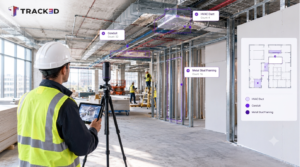
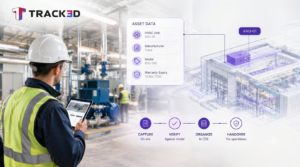
Over the last few years, cameras have become part of a much larger shift toward reality capture. This makes the practice of construction teams document progress smooth. How? By documenting physical jobsite conditions through photos, videos, drones, and laser scans. Security may be the original reason cameras are installed, but documentation is quickly becoming just as important.
Jobsite Security Cameras: Matching the Camera to the Layout
Every construction project has its own challenges. A warehouse expansion has different blind spots than a downtown high-rise. A highway project has different security concerns than a residential subdivision. Because of that, contractors rarely rely on a single camera type.
Let’s go through the types used on jobsite:
| Camera Type | Best Use Case | Coverage |
| Bullet Camera | Fence lines and entry points | Long-range, fixed |
| PTZ Camera | Large open areas | Adjustable coverage |
| Dome Camera | Offices and storage zones | Medium range |
| Panoramic Camera | Wide, open sites | Broad coverage |
Bullet cameras
Bullet cameras are engineered for distances. Typically, contractors prefer installing them near the entrance gate, the fence, and parking lots where distances are a concern.
PTZ cameras
Pan-tilt-zoom cameras are flexible. The camera operator can tilt and zoom in case they need a closer look. They are particularly suitable for expansive industrial sites.
Dome cameras
Dome cameras are widely used in offices and equipment storage due to their tamper-proof quality and wide coverage.
Panoramic cameras
Staging yards are ideal sites for panoramic systems as they eliminate blind spots without the need for many cameras.
Power and connectivity are just as important as the camera itself. Wired PoE systems are preferred in permanent sites. However, in remote sites, it is common to have:
- Solar-powered units
- Battery systems
- Cellular networks
- LTE connections
Many contractors use a combination of these solutions as the project evolves.
Construction Time-Lapse Cameras Add the Progress Story
Security is only half the reason cameras show up on a project. The other half is documentation. Time-lapse cameras take pictures periodically from the beginning until the end of a project. These can later be compiled to produce a visual representation of time-lapse, compressing months of work into minutes.
The owners like the clarity. The marketing people like the material to demonstrate their successful projects. The project managers like it for settling claims and disputes. Time-lapse photos can resolve many questions, such as:
- When did a specific phase begin?
- How did weather affect the schedule?
- Were materials delivered on time?
- What did the site look like before an issue appeared?
However, time-lapse recording technology also has its downsides. It can very effectively show what happened, but cannot provide any information on whether the work was done on schedule or was delayed. One still needs to go through the footage and relate it to the project’s milestones.
AI Construction Cameras: Where Footage Becomes Information
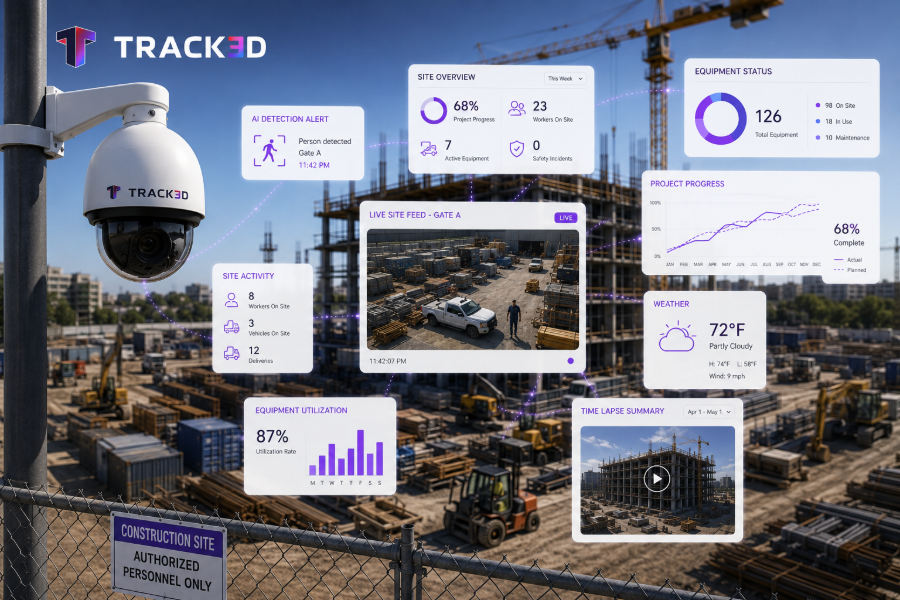
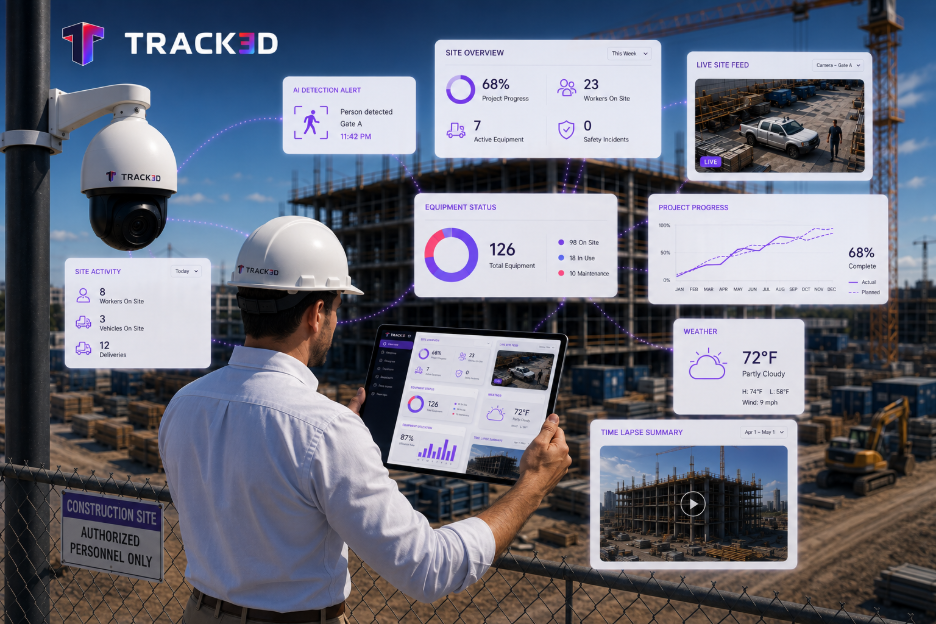
Traditional cameras create records. AI construction cameras try to create context. Rather than recording videos that will take forever to watch, new technology analyzes videos on their own. It is capable of detecting movement, recognizing vehicles, and alerting when anything unusual takes place.
A typical workflow looks like this:
- Cameras capture activity across the site.
- AI software reviews the footage.
- The system filters normal movement from potential problems.
- Alerts are sent to supervisors in real time.
For security teams, that means fewer hours spent reviewing recordings. For project teams, it means faster responses. But there is another distinction worth understanding. A camera that spots someone entering the site after hours solves one problem. Knowing whether structural steel installation is running behind schedule solves another entirely.
This is where the difference between reality capture and Reality Intelligence becomes important. Reality capture simply records the site. Reality Intelligence interprets that information by comparing visual records against schedules, drawings, and project models.
Platforms such as Track3D build on that second layer. VisualTrack organizes footage from cameras, drones, and other devices into one visual record. ProgressTrack takes that information and measures progress across hundreds of construction activities. Security cameras help protect equipment. Reality Intelligence helps protect budgets and schedules.
Construction Site Cameras and Insurance Claims: Why Footage Matters Long After the Project Ends
Most contractors think about cameras in terms of theft prevention. What often gets overlooked is how useful that footage becomes months later. Insurance claims, disputes, and payment disagreements rarely depend on memory alone. They depend on documentation.
Video records can help answer questions like:
- When were materials delivered?
- Who had access to a restricted area?
- Did weather conditions justify delays?
- When did damage first appear?
- Was safety equipment in place?
Without visual records, teams often rely on emails, daily reports, and conversations that happened months earlier. With footage, timelines become much easier to establish. Construction disputes can be expensive. Industry reports from organizations such as Dodge Construction Network continue to show that disagreements over schedules, damage, and incomplete work remain common sources of delay and financial loss. In many cases, cameras become just as valuable during closeout as they were during active construction.
Choosing the Right Camera Setup for Your Site
Buying cameras is the easy part. Designing a system that actually works throughout the life of a project requires more planning. The best starting point is a site walkthrough.
Identify:
- Entry and exit points.
- Equipment storage zones.
- Fuel tanks and generators.
- Blind spots.
- Temporary offices.
- Areas likely to change as construction progresses.
From there, teams should think about image quality. Many contractors now consider 3K or 4K resolution the minimum standard for identifying vehicles and individuals. Night vision performance is equally important, particularly during winter months when crews arrive before sunrise and leave after dark.
Storage is another decision. Most systems combine local storage with cloud backups to protect footage if cameras are damaged or stolen.
Contractors should also think beyond the first phase of construction. A setup that works during excavation may not work once steel framing blocks sightlines. Camera plans need to evolve as the project changes.
Common Mistakes Contractors Make When Installing Jobsite Cameras
Many contractors invest in quality cameras but still don’t get the results they expect. In most cases, the problem usually comes down to how the system is planned and managed.
| What Happens | What Goes Wrong | What Successful Teams Do Instead |
| Cameras stay in the same position for months. | Blind spots appear as the building takes shape. | Move cameras as construction progresses so important work areas stay visible. |
| Every camera points at the perimeter. | Interior activities, deliveries, and equipment movement go unrecorded. | Balance perimeter security with coverage inside the active work zones. |
| Storage needs are overlooked. | Footage disappears before someone needs it for an investigation or claim. | Decide early how long recordings should be stored and back up important files. |
| The system relies on a single internet connection. | Network failures leave parts of the site unmonitored. | Use reliable cellular connectivity or backup communication where possible. |
| Teams expect cameras to solve every problem. | Cameras record events but don’t automatically explain delays or project status. | Combine camera footage with progress tracking and documentation tools for a complete picture. |
| Nobody checks camera performance. | Dirty lenses, blocked views, or hardware failures go unnoticed for weeks. | Include camera inspections as part of routine site maintenance to keep coverage reliable. |
Cameras Are Becoming a Communication Tool
An unexpected benefit of construction cameras has little to do with security. They improve communication. Construction projects involve owners, contractors, subcontractors, consultants, inspectors, and lenders. Not everyone can visit the site every day.
Visual records make those conversations easier. Instead of relying entirely on written updates, teams can point to actual footage when discussing delays, deliveries, or completed work. Owners gain visibility without constant site visits. Contractors spend less time answering repetitive questions. Project managers gain a shared source of truth.
Over the last few years, this shift has accelerated as more teams embrace remote collaboration. For many projects, cameras are no longer just security devices. They have become communication tools.
Looking Forward: Where Are Construction Cameras Heading?
Construction cameras have evolved far beyond mere tools for recording events. Today, construction cameras are becoming progressively smarter, allowing teams to notice potential problems and make informed decisions faster without having to spend countless hours analyzing video footage.
Here are some emerging trends that are going to influence the industry:
- Smarter motion detection – AI is getting better at telling the difference between normal site activity and events that actually need attention, reducing unnecessary alerts.
- Better visibility after dark – Improved night vision and thermal imaging are making it easier to monitor jobsites in low light, bad weather, and around the clock.
- Faster cloud access – As cloud technology improves, teams can review footage, receive alerts, and share updates almost instantly from anywhere.
- Tighter software integration – Camera systems are increasingly connecting with BIM, scheduling, and project management platforms, giving teams a more complete view of the project.
- More useful site insights – Instead of simply storing video, modern systems are beginning to highlight patterns in safety, equipment movement, and site activity automatically.
At the same time, expectations are changing. Contractors increasingly want systems that do more than record video. They want tools that help them understand progress, reduce disputes, and improve decision-making.
Technology will continue to improve. But experienced people will remain at the center of construction. Cameras can collect information. Software can organize it. Ultimately, project teams still decide what happens next.
Ready to See Beyond the Footage?
Security cameras help contractors protect equipment and reduce uncertainty on site. But recording activity is only the beginning.
Track3D combines visual records from cameras, drones, and reality-capture tools to create a clearer picture of project progress, site conditions, and construction performance. The result is more than footage. It is a better understanding of what is actually happening on the jobsite.
Learn more about how Track3D turns visual data into actionable insights →
FAQs
Q1: How much do construction site cameras cost?
A. The cost will depend on the quality of the cameras, their connectivity, and other functions. The price for basic cameras might be a couple of hundred dollars, while more sophisticated devices will cost over $2,000 per camera. Moreover, contractors need to consider expenses related to installing, storing, and using cellular connectivity that costs between $10 and $50 per month.
Q2: What is the difference between jobsite security cameras and construction time lapse cameras?
A. Jobsite security cameras are concerned with constant surveillance and theft detection. In addition, they generate immediate alerts. Construction time-lapse cameras are designed to provide documentation by taking photos periodically. Both cameras are used on the same projects simultaneously.
Q3: Can construction site cameras track project progress on their own?
A. Not quite. Cameras shoot videos, but they cannot interpret them by themselves since cameras are unaware of the schedule and other elements of the project. Reality intelligence layer on top of the footage is usually needed.