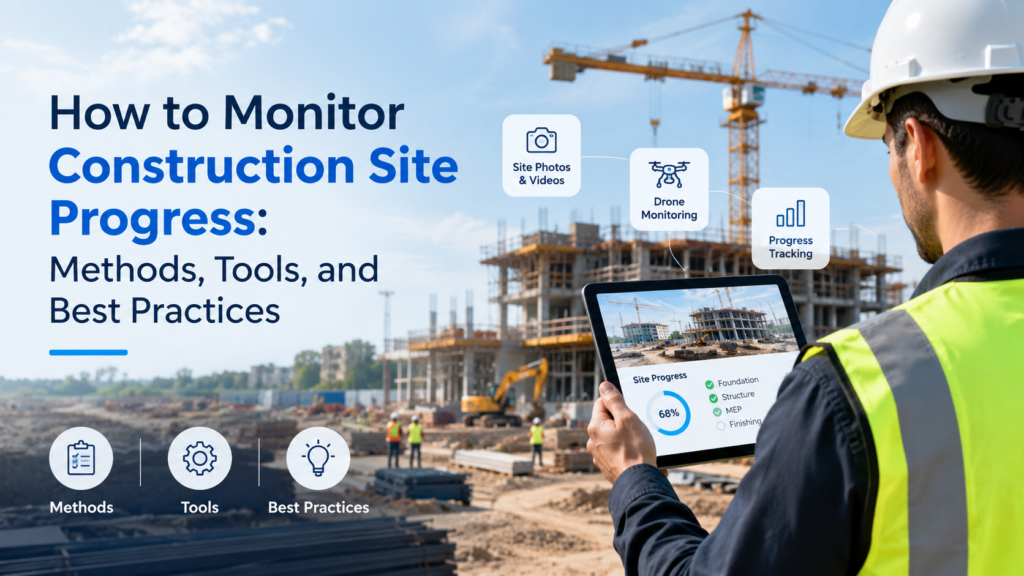
Construction projects are so dynamic that they rarely go as planned. As the project manager or superintendent, you must have noticed that tasks often go off track with respect to the schedule. And how many times has poor communication cost you money and time in terms of rework? This makes it essential for teams to have a clear picture of what’s actually happening on the site, in real time. Thus, how to monitor construction site progress becomes an important question.
In this guide, we look at how construction site progress monitoring works, the best tools for it, common mistakes, and how it can make a difference to your projects. Continue reading to find out more!
Key Takeaways
- Construction site progress monitoring compares actual site conditions with the planned schedule to track whether work is on pace, ahead, or behind.
- Regularly capturing site conditions provides teams a shared source of truth for coordination and decision-making.
- To reliably set up a construction monitoring workflow, you require consistent captures, schedule-linked data, defined takeoff quantities, and zone-based tracking.
- 360-degree walks, drone flights, site photos, and reality capture tools are the best ways to provide different levels of visibility across project phases.
- Reality Intelligence platforms can turn captured site data into schedule-aligned progress insights without manual comparisons.
What Is Construction Site Progress Monitoring?
Construction site progress monitoring involves comparing what the on-the-ground crews have built against the predecided schedule. Most efficient teams do this on a regular basis via photos, walkthroughs, drone flights, and software that captures site conditions. When construction progress monitoring is done well, it enables all stakeholders to stay on the same page and acquire an accurate picture of what’s happening.
To put it in specifics, construction site progress monitoring tracks three things: what the crew has built, where they have built it, and how it compares to the schedule. Ultimately, it helps teams answer the question, “Is the construction work on pace, ahead, or falling behind?”
Why Does Progress Monitoring Matter So Much?
Before jumping into how to track construction site progress, let’s first look at why it matters so much in the first place. Most importantly, it serves as a single shared source of truth. Without this, three people on the same team can hold different views of the same site – the schedule does not match the field, which in turn does not match the daily report.
This directly affects coordination. For instance, trade partners might show up expecting an area to be complete, based on the schedule, but in reality, it isn’t. Project managers may build future timelines based on the schedule and not the actual progress.
Moreover, this visibility gap carries a real cost. According to a CMAA study, avoidable rework can cost 5 to 10 percent of the total project value. It can also extend the schedule by up to 19 percent. And unsurprisingly, most of that traces back to outdated status updates and unclear documentation. Efficient and strong construction site progress monitoring closes this gap before it turns into a loss.
How To Monitor Construction Site Progress?
Most construction teams monitor their site progress by trade or zone. Or sometimes, both. But typically, the common workflow looks like this:
- Capturing the site conditions on a set schedule. This is done weekly for most trades, but more often near major milestones.
- Comparing the captured data against the planned schedule or takeoff quantities.
- Flagging variances, any areas that are not in sync with the schedule or in sequence.
- Sharing the updates with the stakeholders so all decisions are made based on current information.
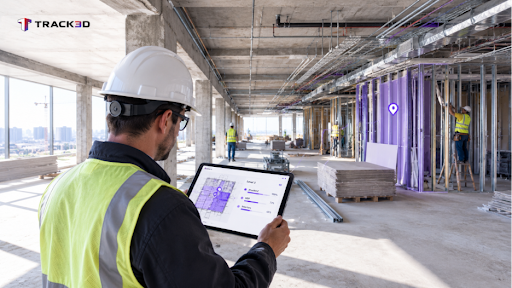
It’s crucial to understand that the overall quality of this loop depends on the quality of the first step. Capturing incomplete information will lead to scattered information and sparse data. This is where reality capture comes into the picture. It helps teams capture the current conditions of the site via photos, scans, and drones so an accurate picture of what’s going on is always available.
Setting Up a Progress Monitoring Workflow: Step-by-Step Guide
Let’s dive deeper into how you can set up a progress monitoring workflow for your team and construction site.
- Define tracking categories upfront. For instance, which trades and zones will be monitored by the team? Most teams organize this around trades, framing, drywall, mechanical, electrical, plumbing, floors, zones, and other specific work areas. By setting these categories early, you can map your progress consistently from day one.
- Match the capture method to the project phase. Different stages of the project require different types of visibility. For example, 360-degree walks for detailed interior documentation during active installation; drone flights for exterior sequencing, facade work, site logistics, and underground utilities. Matching the method to the phase delivers targeted insight instead of a one-size-fits-all approach.
- Set a consistent capture cadence. Most teams opt for a weekly cadence for core updates, with more frequent captures during fast-moving phases or as milestones approach. But regardless of the pace you finalize, it’s important to find a rhythm that will keep coordination and decisions grounded in current on-site conditions.
- Link your captured data to the schedule. When real-time information is linked to the schedule, teams can actually act on the insights generated. Moreover, this will show you whether the activity or task is actually on time or not.
- Use defined takeoff quantities for granular tracking. This is because when takeoff quantities are integrated into progress data, teams can measure completion on a much more granular scale, rather than just estimates. Now, progress gets validated accurately, and all trade partners receive fair recognition for their work.
- Track progress zone by zone. This is especially important for larger projects, as breaking the site into manageable zones makes construction progress monitoring more precise. The tools allow teams to spot delays or bottlenecks in a specific area before they affect the whole project. You can also compare performance across zones to adjust sequencing.
- Review progress in existing meetings. There’s no point in such extensive construction site progress monitoring if it isn’t actually integrated into the system. Schedule weekly updates in your regular meetings and coordination check-ins instead of creating a separate reporting cycle.
Methods & Tools Used for Construction Site Progress Monitoring
In the following table, we look at the different capture methods that suit different phases. You can compare these at a glance and select which one suits the best for your team.
| Method | Best Suited For | Tradeoff |
| Manual notes and spreadsheets | Small jobs with a low budget. | It’s slow, inconsistent, and hard to audit. |
| Daily photos | Maintaining quick visual records. | It lacks structure and is hard to compare over time. |
| 360-degree walks | Interior documentation. | Although this method is detailed, it needs manual review. |
| Drone flights | Exterior sequencing and site logistics. | It’s great for exteriors but shows limited promise for interiors. |
| Reality Intelligence platforms | Monitoring schedule-linked progress across trades. | It requires initial zone and category setup. |
Almost all teams start with manual tracking since it’s an easy starting point that is familiar and requires no new tooling. It works on small, short projects with one trade and a simple schedule. But eventually, as the project spans multiple trades or zones, it poses huge drawbacks. Construction professionals spend an average of 5.5 hours every week looking through information they procured through manual tracking. This comes directly out of the time spent on running the project.
Thus, photos, 360-degree walks, and drone flights seem like the natural next step. They close certain gaps and give teams more visibility. However, the biggest problem still remains – someone has to manually compare each capture against the schedule.
As construction teams continue to expand their projects, they must look into addressing this gap directly. And this is where Reality Intelligence comes into the picture. It links photos, scans, and walkthroughs that teams have captured to the schedule and takeoff quantities automatically. So now, a capture from the field becomes a planned-versus-actual comparison without someone having to compare it manually!
Common Mistakes in Progress Monitoring
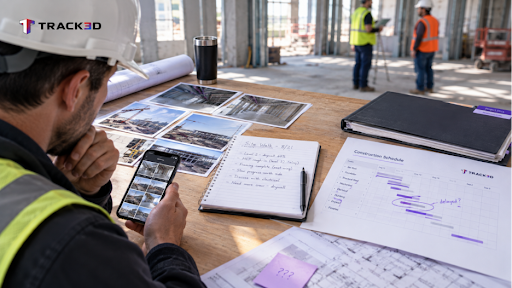
Before we wrap up this guide, let’s quickly look at some of the common mistakes teams ignore when exploring how to monitor construction site progress:
| Mistakes | Description | How to Fix? |
| Capturing photos without a plan. | Without context and more information, images alone are not enough to provide all the insights. | You can fix this by adding every capture to a zone, trade, and planned activity from the get-go. |
| Maintaining an inconsistent capture frequency. | If your capture frequency is irregular, the skipped weeks will create blind spots. This is especially tough near milestones or inspections. | Set a cadence and stick to it, no matter what! |
| Treating capture as separate from the schedule. | Even if you capture all site conditions consistently but don’t link them to the schedule, it’s just going to be documentation, not monitoring. | Your captured media must be connected to your scheduling tools so variances will surface automatically. |
| Relying on memory or verbal updates. | Memories fade. Verbal reports can be misinterpreted over time. These can create conflicts down the line. | Keep a time-stamped, structured record that anyone on the team can check. |
Parting Words: See Verified Progress Instead of Guesswork
How to monitor construction site progress is a real question faced by many construction teams. However, as the industry grows, we now understand that it is a crucial part of the process that cannot be skipped. Teams need access to and complete visibility into the real-time conditions of the site in order to keep trades on schedule and make decisions with updated data.
But construction site progress monitoring is only as useful as the information behind it. Teams need to capture site conditions consistently, connect data to the schedule, and track progress zone by zone to get a clear picture of what’s happening on the site. Moreover, teams need to integrate Reality Intelligence platforms so insights can be generated automatically and no one has to sit and compare data.
Track3D can help you out here. It turns your team’s data captured from drone flights, 360-degree walks, and site photos into a schedule-aligned view of actual site conditions. It removes manual comparisons and the need to chase down last week’s update.
See how Track3D’s ProgressTrack works here!
Frequently Asked Questions
Q1. How do you monitor construction site progress?
Ans: Start by capturing site conditions on a regular schedule. Then, compare them against planned activities or takeoff quantities, and flag variances before they turn into delays. This way, you can keep track of whether your project is moving on schedule or not.
Q2. What is the difference between reality capture and progress monitoring?
Ans: Reality capture is raw documentation, such as photos, scans, and drone footage. Progress monitoring, on the other hand, compares that documentation against the schedule to see what’s complete.
Q3. How often should teams capture construction progress?
Ans: Most teams use a weekly rhythm for core trades. But you should employ more frequent captures during fast-moving phases or as milestones approach.
Q4. Can drones replace manual site walks?
Ans: Drones cannot entirely replace manual site walks. They cover exterior sequencing well, but interior trades still benefit from 360-degree walks or on-the-ground documentation.
Q5. Does progress monitoring reduce rework?
Ans: Consistent and efficient progress monitoring can definitely reduce rework to a considerable extent. For instance, rework linked to outdated status updates is a well-documented cost driver. And catching variances earlier gives teams more time to correct course before issues compound.