Jobsite documentation is the ongoing visual record a construction team keeps of a project’s conditions, progress, and completed work, serving as the central project document made up of photos, video, scans, checklists, and reports.
Key Takeaways
- Jobsite documentation covers more than photos: existing conditions, daily progress, punch list evidence, and as-built records each do different work.
- Most construction teams document inconsistently, not because they lack tools, but because nobody owns the habit clearly.
- It majorly prevents two kinds of expensive mistakes: disputes over what happened and rework from tearing into something that didn’t need to be opened up.
- GPS-tagged, timestamped photos and a basic documentation checklist solve most of the retrievability problem and support quality control on their own.
- Reality capture is the natural next step once documentation habits are already solid.
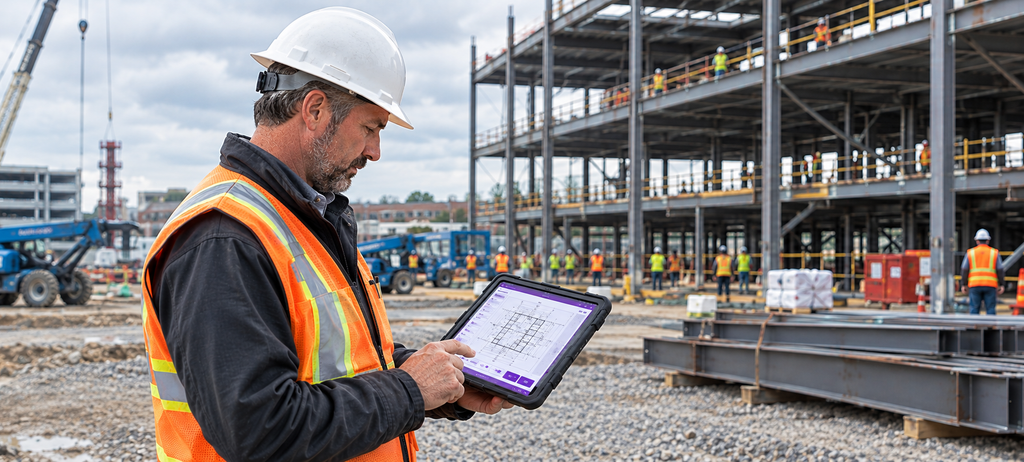
Ask a superintendent, a PM, and a sub what “documentation” means on their job, and you’ll likely get three different answers. For Superintendents, it means daily photos. For PMs, it means inspection reports. For subcontractors it’s usually something their foreman told them to snap before drywall went up.
None of them are wrong. They each describe only a small piece of something larger.
Here’s what each aspect involves in practice:
Documentation of existing conditions: Photographing site conditions such as existing damage, defects, and anything unusual, cracks, water stains, uneven floors, prior repairs. It also covers utilities and access points, and anything on a neighboring property that could plausibly be affected by the work. The goal is coverage, not a handful of general shots, every wall, every room, every area that could later become a question.
Progress documentation: Daily or per-visit photo logs used to track progress across active work areas, plus before-and-after shots at each significant stage, framing complete, rough-in before it’s covered, slab poured. Anything that deviates from the plan, a material substitution, an unexpected structural issue, gets flagged and captured specifically, not folded into the general daily photos.
Inspection reports and documentation checklists: Sign-offs tied to specific milestones, someone confirming a stage passed inspection, with a record of what was checked and by whom, supporting quality control as the job moves forward. This is separate from photos, a photo shows what something looked like, a checklist confirms it was reviewed against a standard.
Punch list documentation: Each item in the punch list process gets photo evidence when it’s marked complete. A checkmark alone tells you someone claims it’s done. A photo tells you it is.
As-built documentation. The final record of what was actually built, measurements included. This is what a facilities team or a future contractor reference years later, and it’s the one type most left incomplete, since it’s easy to assume the design drawings are close enough.
That’s a wider net than construction site photo documentation alone, which focuses specifically on the photo side. Photos are the part most teams already do reasonably well. The rest, checklists that get used, punch list evidence, accurate as-built measurements, is where things tend to fall apart.
Measurement is worth calling out on its own. A photo shows what something looks like. It doesn’t tell you the dimensions. Teams that rely only on photos for as-built records often end up sending someone back to the site weeks later just to measure something that should have been captured the first time.
Why Documentation Slips Even on Organized Teams
Most crews already walk a site before starting work, already take daily photos, already fill out some kind of checklist. The gap is consistency. A walkthrough covers three rooms instead of the whole floor. A checklist gets filled out and stays on paper in someone’s truck. A punch list gets marked complete with no photo attached to back it up.
None of this requires more discipline than most crews already have. It requires deciding, before the job starts, which team members are responsible for each piece. Someone needs to own making sure the walkthrough covers every area, not just the obvious ones. Someone needs to own the checklist once it’s filled out. And someone needs to own turning progress documentation into something a client can actually see. Without that, each piece gets partially done by whoever happens to think of it that day.
Where the Gaps Show Up
A missing photo rarely causes a problem by itself on job sites. It’s the combination, a gap here, a skipped step there, that eventually does the damage.
A subcontractor claims a wall was already out of plumb before their crew arrived. The existing conditions walkthrough happened, but it produced two general shots of the room, not a close-up of that specific wall. Without that one photo, the argument runs for weeks and usually gets split down the middle regardless of who was actually right.
An insurance adjuster asks for proof of site conditions on a specific date. Progress documentation exists, technically, spread across three people’s phones with no consistent timestamps anyone trusts. A five-minute question turns into a week of digging through message threads.
A punch list gets marked complete on paper with no photo evidence attached to any line item. At final inspection, the owner’s rep asks for proof one item was actually fixed. Punch list documentation without evidence is a checklist someone has to trust on faith, and faith doesn’t hold up well at closeout.
The Rework Problem Nobody Talks About
Disputes get most of the attention in documentation conversations. Rework deserves just as much, and it’s often more expensive.
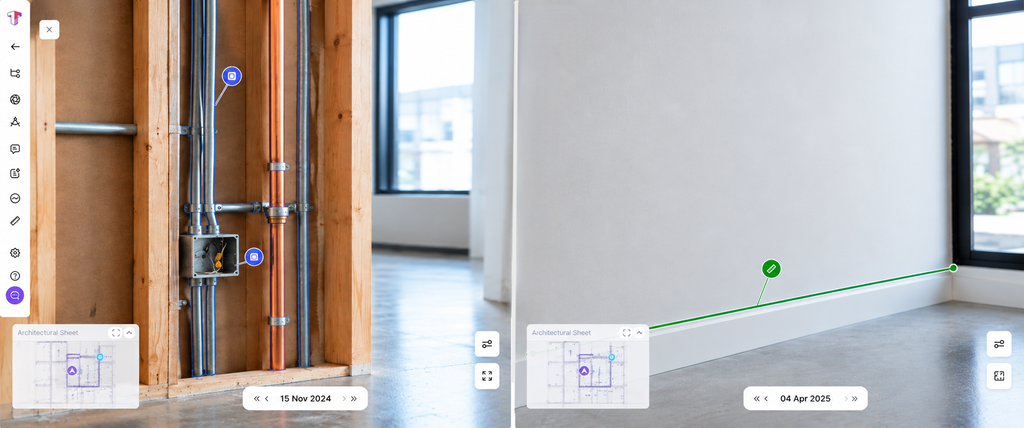
Here’s the scenario: a wall gets opened up months after it was closed, because nobody’s sure exactly where a specific pipe run or electrical junction sits behind the finish. Without earlier documentation, you can only find out by cutting and looking into it. That’s a destructive investigation, and it costs time, materials, and patch-back work that adds up fast across a project with dozens of similar unknowns.
Teams with solid documentation avoid this almost entirely. Pull up a photo or scan from before the wall closed, see exactly what’s behind it, and skip the demolition step altogether. It’s one of the more underrated returns on consistent documentation, proving what happened is one benefit, but never having to find out the hard way a second time is arguably the bigger one.
Making Documentation Usable, Inside and Outside the Team
Plenty of teams already take photos. Fewer get value from them, for two different reasons: the record isn’t organized well enough for the team itself to find later, and even when it is, it often never reaches the people outside the team asking for updates.
Internally, the fix is a persistent location anchor, not just a timestamp. Every capture at a given spot, a phone photo today, a 360-walkthrough next month, should tie back to that same point on the floor plan, building a running visual history there instead of a flat pile of unrelated images. Layer trade or zone tags on top, and a superintendent can pull up every mechanical photo on level three without wading through framing shots from the same week.
Externally, the fix is simpler than it sounds: something a client can check on their own, without calling to ask. A team can be documenting well internally and still leave a client in the dark if nobody built a step for sharing it. To a client who can’t see the site regularly, thorough documentation that never reaches them looks identical to no documentation at all.
A documentation checklist adds the last piece, not just that a photo exists, but that someone checked something, signed off on it, and linked it to the RFI or submittal it supports. Location, access, and sign-off together cover most of what a dispute, claim, or a client actually needs to see. This is also where a lot of the cost of poor documentation comes from: estimates put rework at 4% to 10% of total project cost across most studies, with miscommunication behind roughly a quarter of it.
Building a Habit That Survives Turnover
The most common failure in jobsite documentation isn’t the tooling. It’s that the habit depends on one person and falls apart the day that person is out sick, moved to another job, or simply forgets.
A few things tend to fix this: treat the existing conditions walkthrough as a documentation task with a specific list of areas to cover rather than whatever catches someone’s eye that day. Reduce the manual steps between taking a photo and it landing somewhere the whole team can find. And keep the documentation checklist useful to the field teams directly; teams that can pull their own records back up are more likely to keep doing it than teams filling out paperwork for someone else.
This is also where automated jobsite documentation earns its place. A system that tags and files photos on its own doesn’t depend on any one person remembering to do it right. The payoff shows up clearest at closeout: consistent habit throughout the project timeline is what turns closeout into assembly instead of a scramble.
Tools Worth Considering
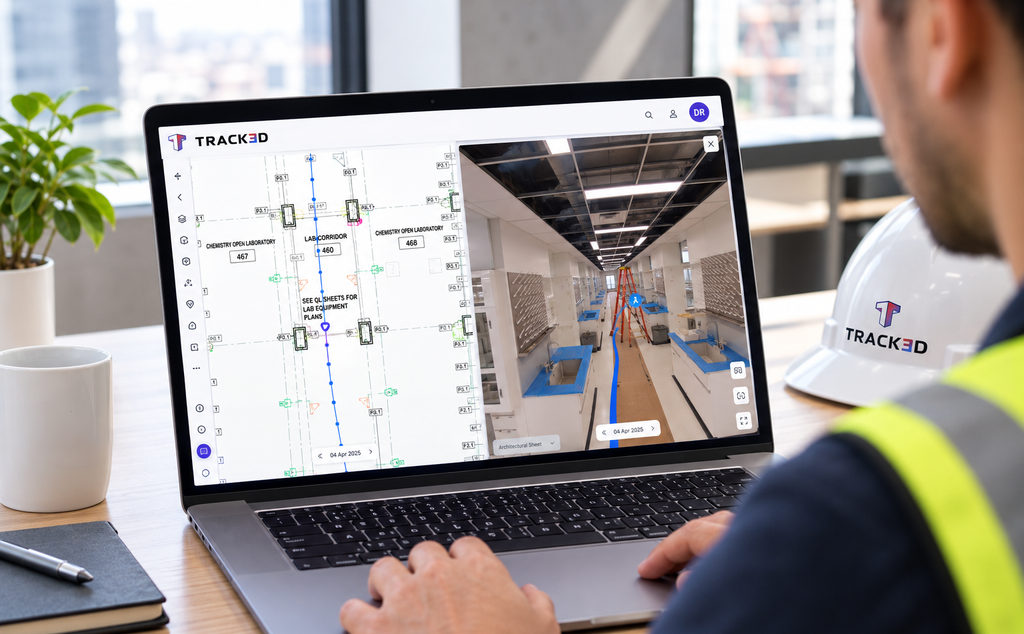
Track3D’s VisualTrack is hardware-agnostic, supporting captures from phones, 360 cameras, drones, and laser scanners into one user-friendly interface, so a project can start with phone photos and add better capture methods later without losing continuity.
Every capture is mapped on the floor plan with location automatically, and photos or notes filtered by trade or zone. Issues raised in the field sync directly to Procore or Autodesk Construction Cloud without re-entering them, letting managers assign tasks and cutting down the time spent generating reports by hand, and a project’s full visual record can be exported as a standalone, login-free file for owners and stakeholders who never need platform access at all.
ProgressTrack connects that same documentation to the project schedule, so a photo isn’t just proof of something that happened, it’s a proof tied to project’s progress.
Where This Leads: Reality Capture
Even solid jobsite documentation runs into the same limit eventually. Photos, checklists, and reports can tell you what a space looked like, but they can’t give you a precise measurement or let you compare it directly against a design model.
Reality capture extends the same habits, existing conditions, progress tracking, closeout records, using 360-degree cameras, drones, and 3D scanning to make them measurable instead of just descriptive. Teams that already document consistently tend to adopt it fastest, since the hardest part, getting a crew to document at all, is already solved.
See What Consistent Jobsite Documentation Looks Like
If your team’s documentation still depends on memory and a shared camera roll, Track3D gives it structure instead. Take a look at what that looks like on a live project.
Frequently Asked Questions
Q: Is jobsite documentation the same as daily reports?
No, though they overlap. A daily report is one output built from photos, checklists, and other records. Jobsite documentation is the broader practice behind it.
Q: What should be documented before work starts?
Existing conditions, any damage, defects, or unusual site conditions, plus utilities and access points. This single step prevents most disputes down the line.
Q: How does GPS tagging help?
It turns a photo into evidence. A timestamped, location-tagged image tells you exactly where and when something was captured, which matters when a dispute or claim comes up weeks or months later.
Q: How long should jobsite documentation be kept?
At minimum through the defect liability period, typically around 12 months post-completion. As-built documentation in particular is increasingly kept for the full building lifecycle.
Q: Does good documentation replace the need for reality capture?
No, it’s the prerequisite for it. Reality capture builds on the same habits using more advanced tools, it doesn’t replace the underlying discipline.