Daily Site Management for Superintendents | Track3D
Use case · Superintendent · Daily site management
Daily site management
Spend your time where only you can
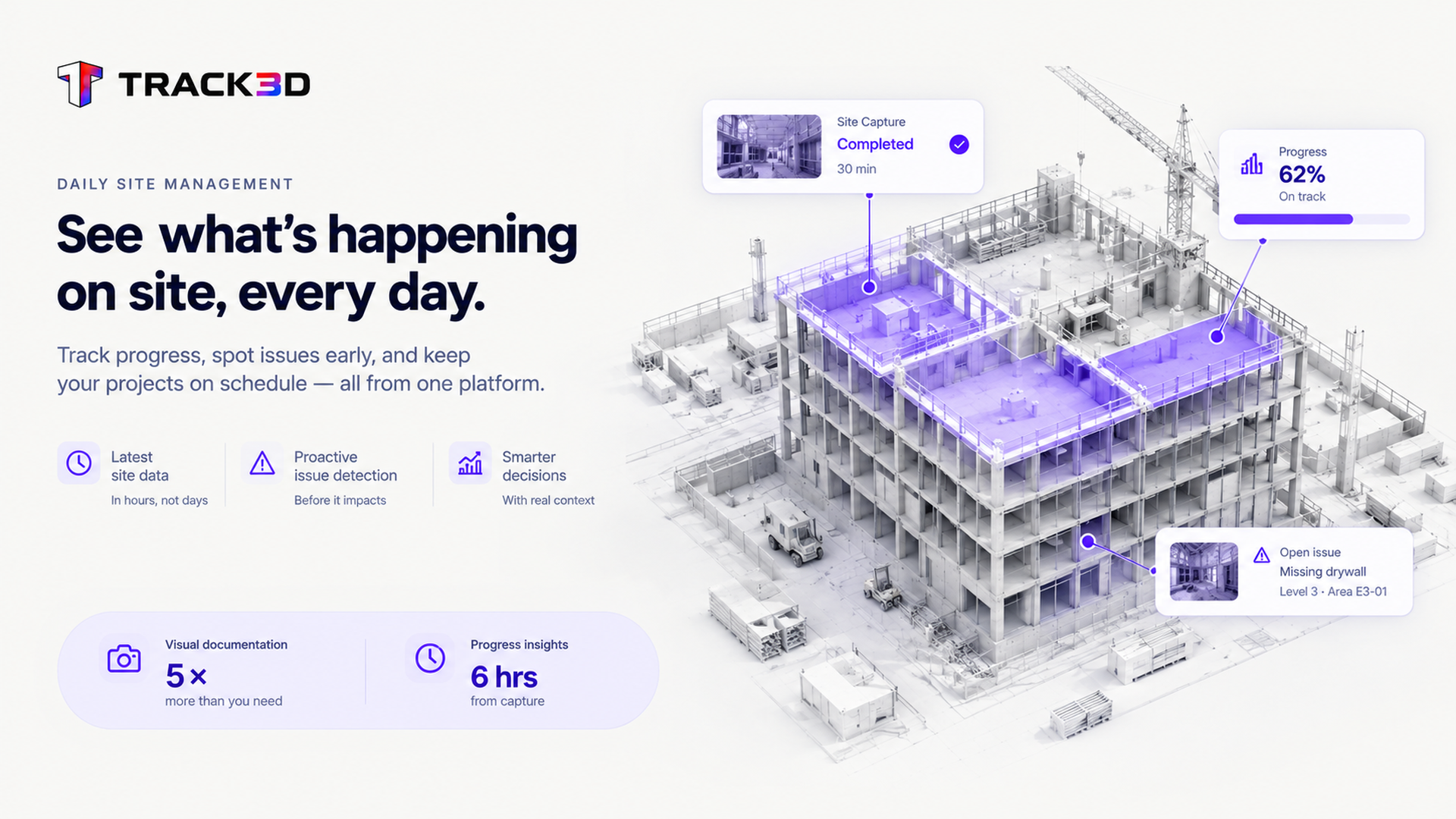
You walk your site because that’s how you know it. Track3D gives you a read based on your latest processed captures, so the hours you’d spend gathering status come back to you, for the trade that needs a push and the call only you can make.
Status gathering competes with the hours you need to run the job
Walking every area to check status takes time away from directing trades and solving the problems that actually need your judgment. Track3D gives you a site-wide read based on the latest processed captures, so you can prioritize your next walk. Your judgment still runs the site. You choose where to focus it.
Read the whole site, drill in where it matters
You walk it. Track3D does the math, so every number is measured, not claimed. Your time goes to decisions, not compiling facts.
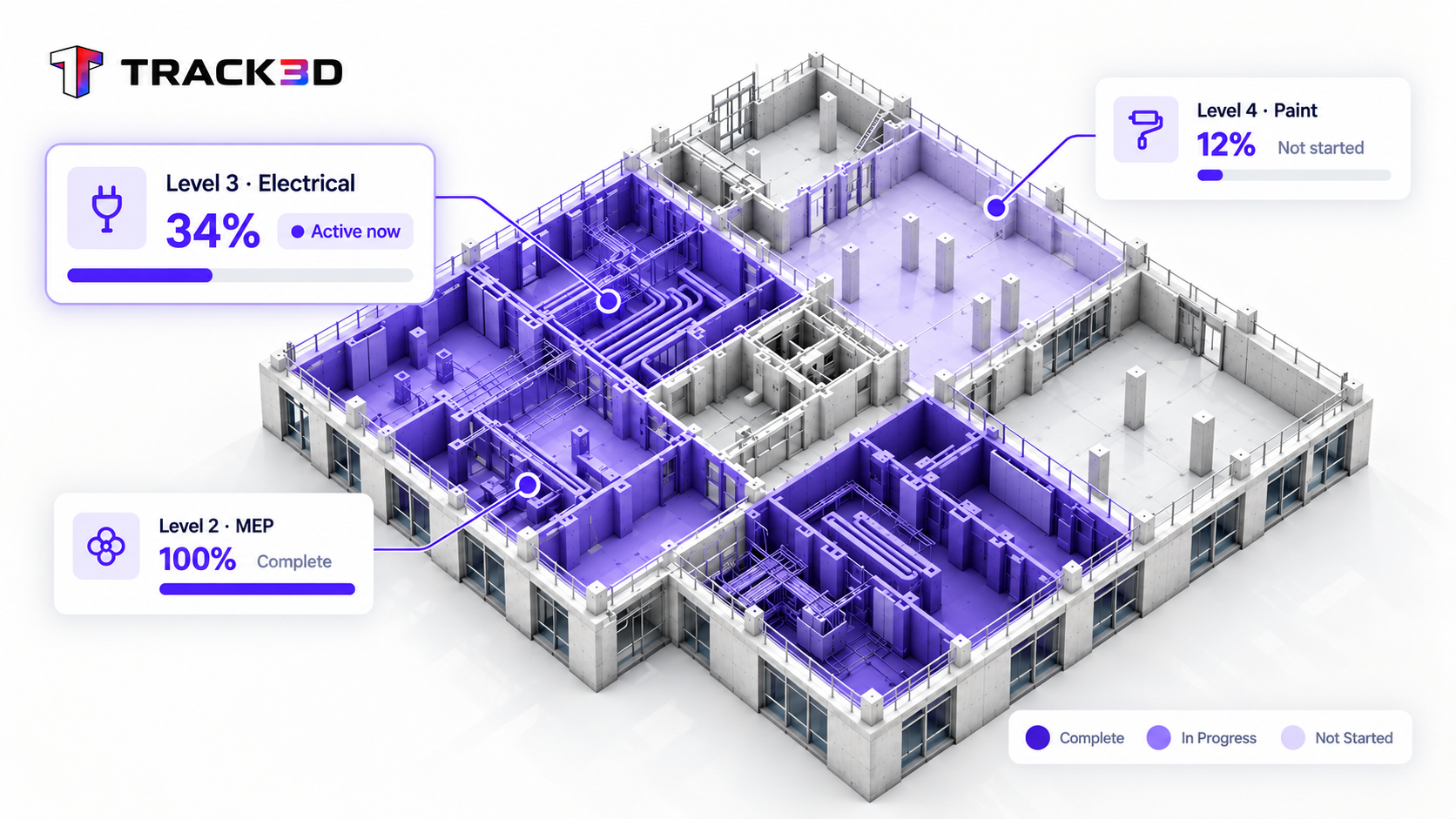
1See where work's getting done
A whole-site read shows where each trade is active, so you know where to point your day before you set foot on the floor.
Minutes
to read the whole site, vs. a half-day round
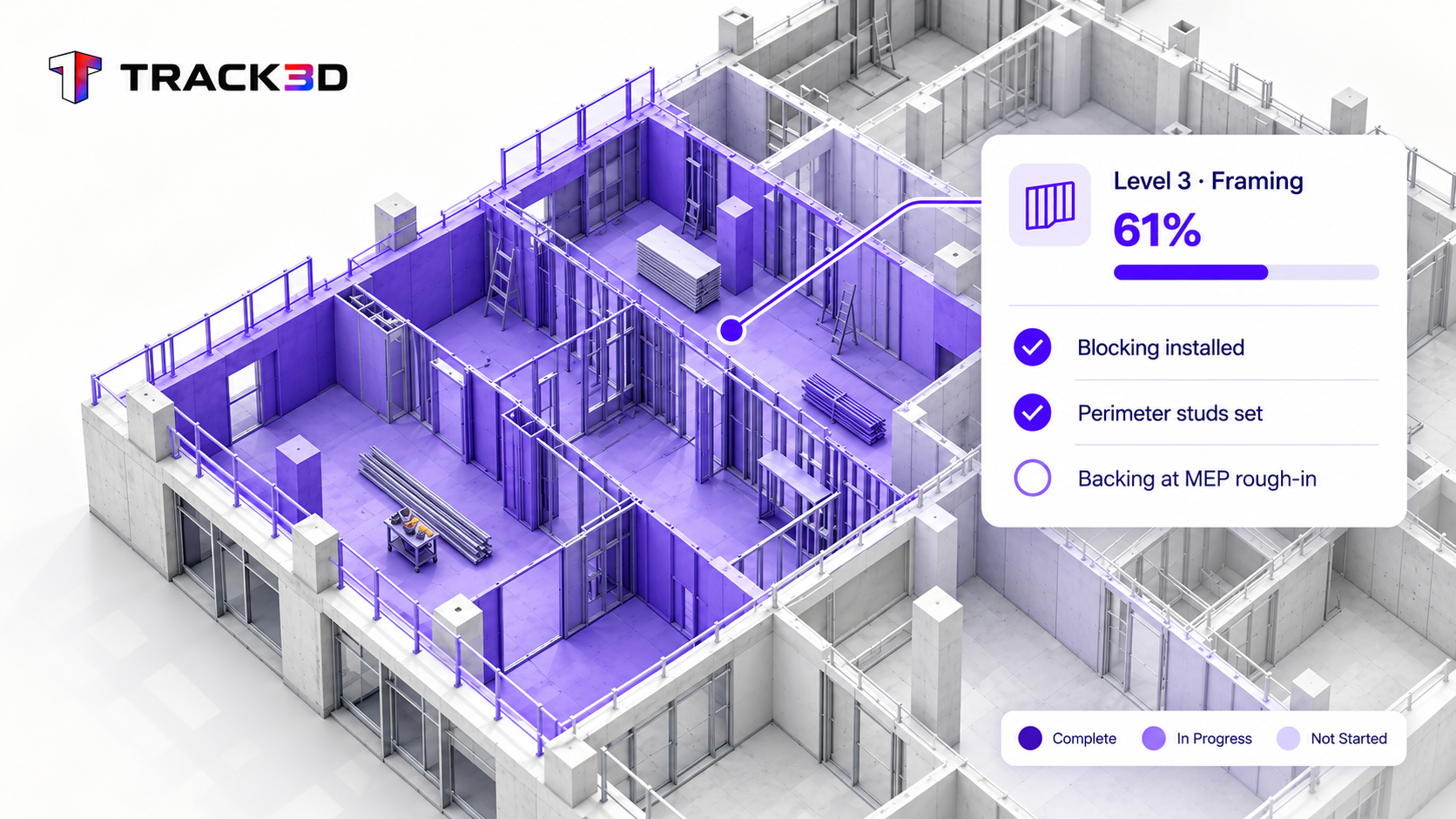
2Drill into what's not done
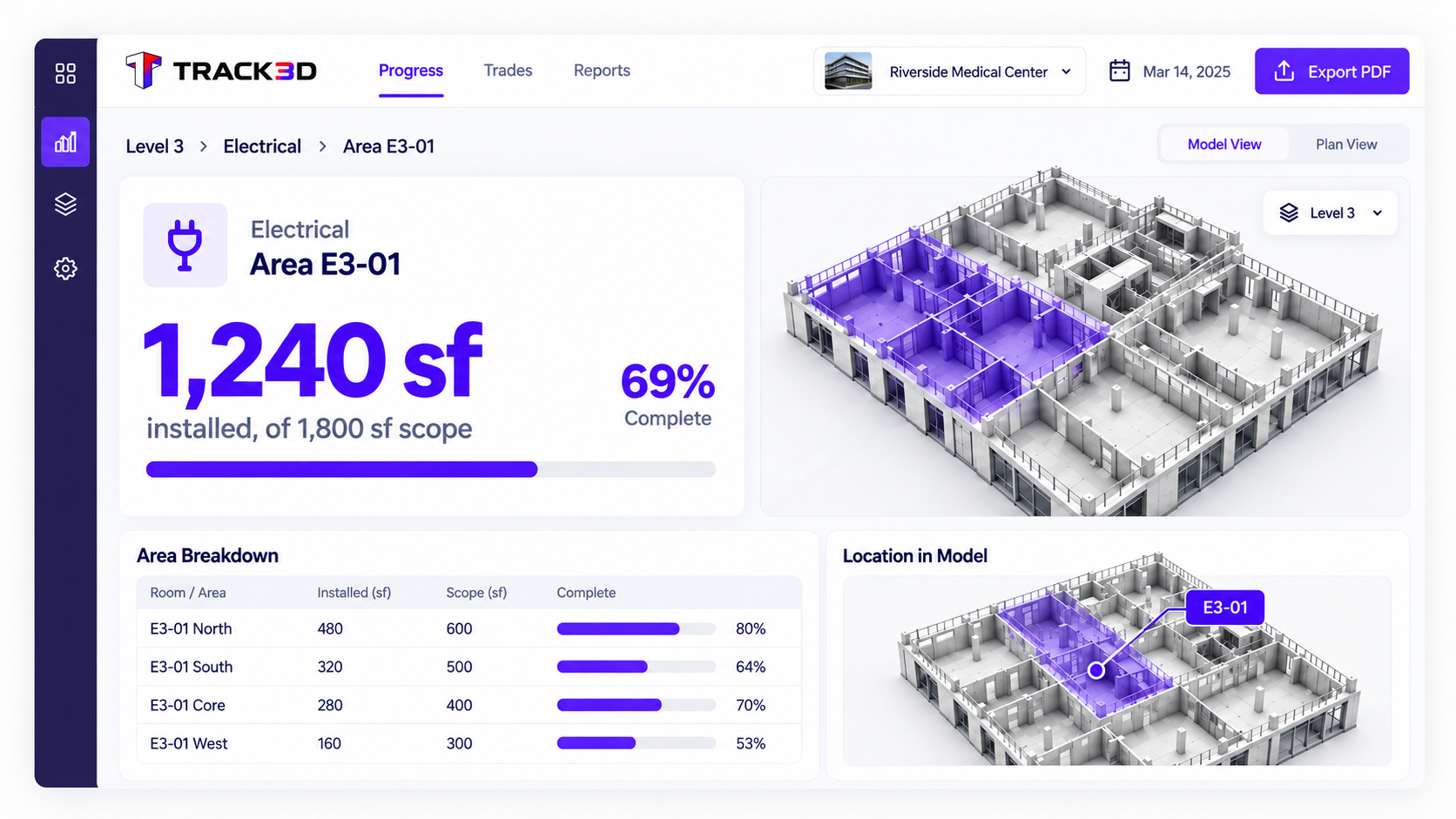
Open an area to see the pending items, so your attention goes to the right trade and the right gap.
Time back
for directing trades and resolving issues
3Get the number, when you want it
See the installed quantity for that area the moment you need it. No manual count. No second trip to check it.
Measured
installed quantities, by area and trade
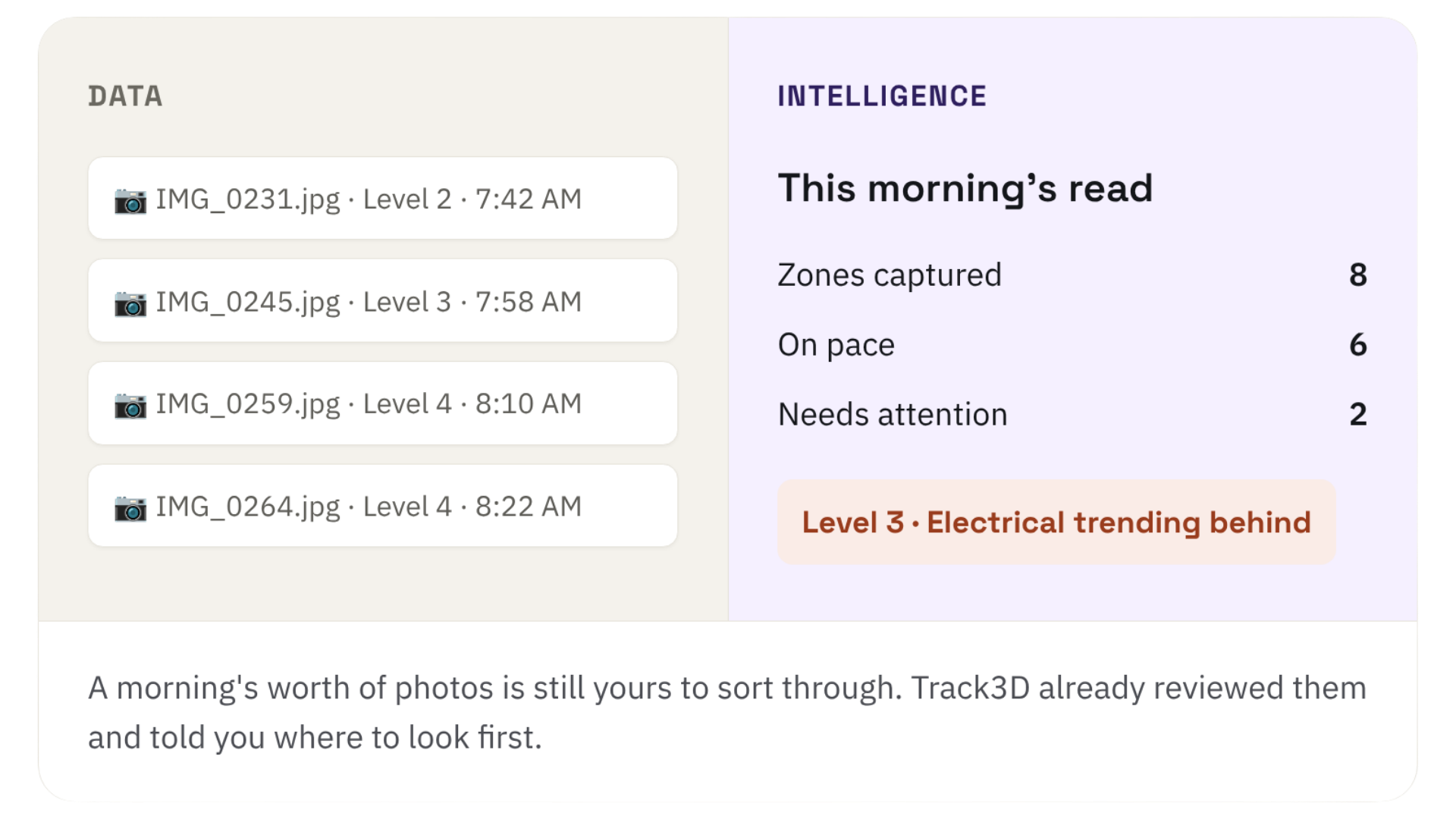
A stack of walks is data you still have to review. Track3D reviews the walks for you and tells you where to look first.
Top Use Cases
Trade Handover Management
Clear the open items in every area before you release the next trade. Unfinished work gets caught while the wall is still open.
Does "trade" mean trade partners, or everyone working the floor?
Do I need to learn a new system to get value?
Does this replace my daily walk?
No. The walk stays yours to run. Track3D just means you're not walking to find out what's already changed, only to lead.
How current is the read?
It reflects the latest capture of each area, so you're working from this week's site, not a number stuck in your head from the last walk.
Does "trade" mean trade partners, or everyone working the floor?
Everyone actively working the area, your trade partners and any self-perform crews, so the read covers the whole floor, not just one relationship type.
Do I need to learn a new system to get value?
Open it and the whole-site status is the first thing you see. Everything past that is one click deeper, when you want it.
Use case · Superintendent · Daily site management
Daily site management
Spend your time where only you can
You walk your site because that’s how you know it. Track3D gives you a read based on your latest processed captures, so the hours you’d spend gathering status come back to you, for the trade that needs a push and the call only you can make.
Status gathering competes with the hours you need to run the job
Walking every area to check status takes time away from directing trades and solving the problems that actually need your judgment. Track3D gives you a site-wide read based on the latest processed captures, so you can prioritize your next walk. Your judgment still runs the site. You choose where to focus it.
Capture first, drill on demand
You walk it. Track3D does the math, measured, not claimed. Your time goes to decisions, not compiling facts.
1See where work's getting done
A whole-site read shows where each trade is active, so you know where to point your day before you set foot on the floor.
Minutes
to read the whole site, vs. a half-day round
2Drill into what's not done
Open an area to see the pending items, so your attention goes to the right trade and the right gap.
Time back
for directing trades and resolving issues
3Get the number, when you want it
See the installed quantity for that area the moment you need it. No manual count. No second trip to check it.
Measured
installed quantities, by area and trade
A stack of walks is data you still have to review. Track3D reviews the walks for you and tells you where to look first.
Top Use Cases
Trade Handover Management
Clear the open items in every area before you release the next trade. Unfinished work gets caught while the wall is still open.
Does "trade" mean trade partners, or everyone working the floor?
Do I need to learn a new system to get value?
Does this replace my daily walk?
No. The walk stays yours to run. Track3D just means you're not walking to find out what's already changed, only to lead.
How current is the read?
It reflects the latest capture of each area, so you're working from this week's site, not a number stuck in your head from the last walk.
Does "trade" mean trade partners, or everyone working the floor?
Everyone actively working the area, your trade partners and any self-perform crews, so the read covers the whole floor, not just one relationship type.
Do I need to learn a new system to get value?
Open it and the whole-site status is the first thing you see. Everything past that is one click deeper, when you want it.