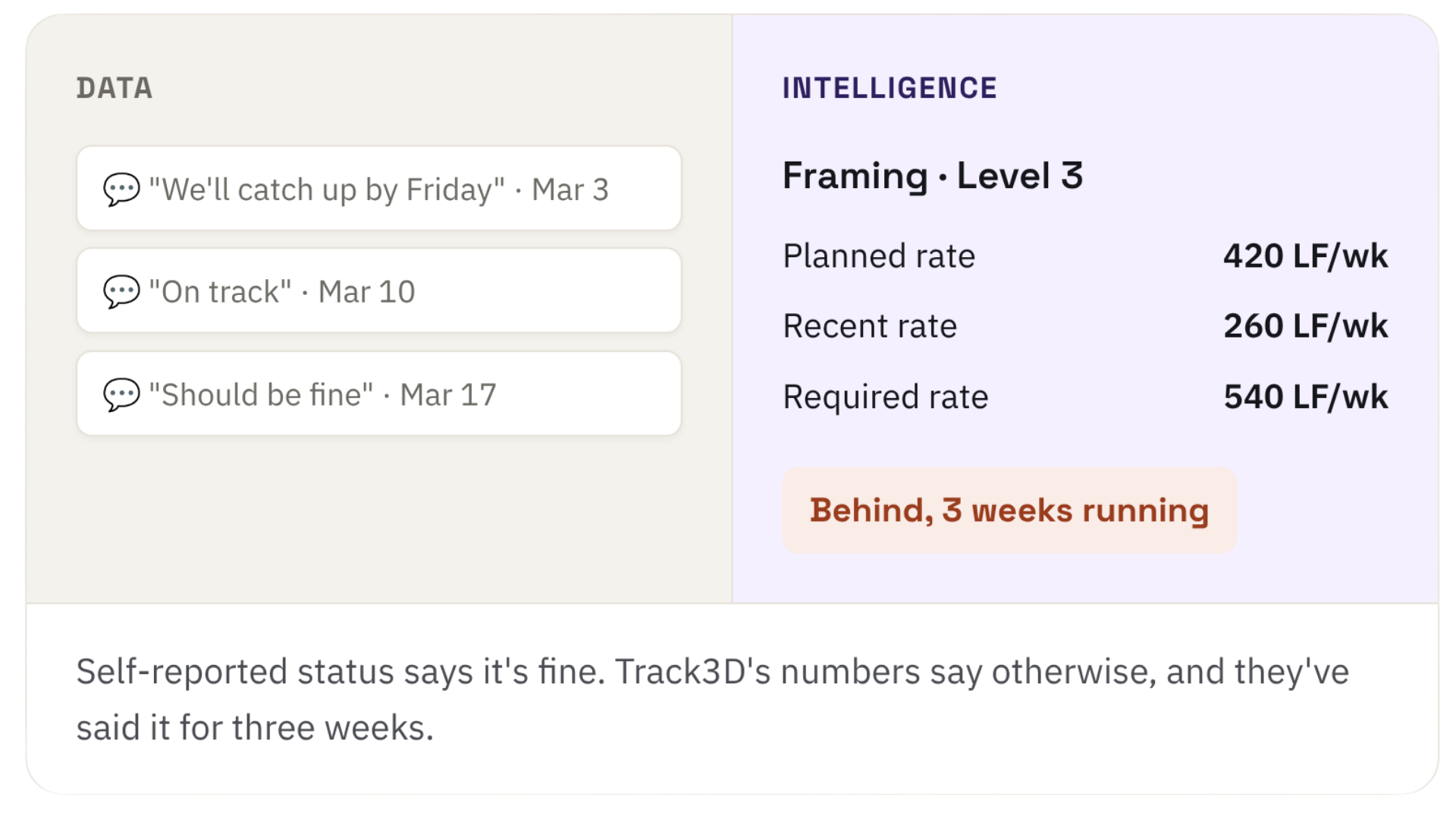
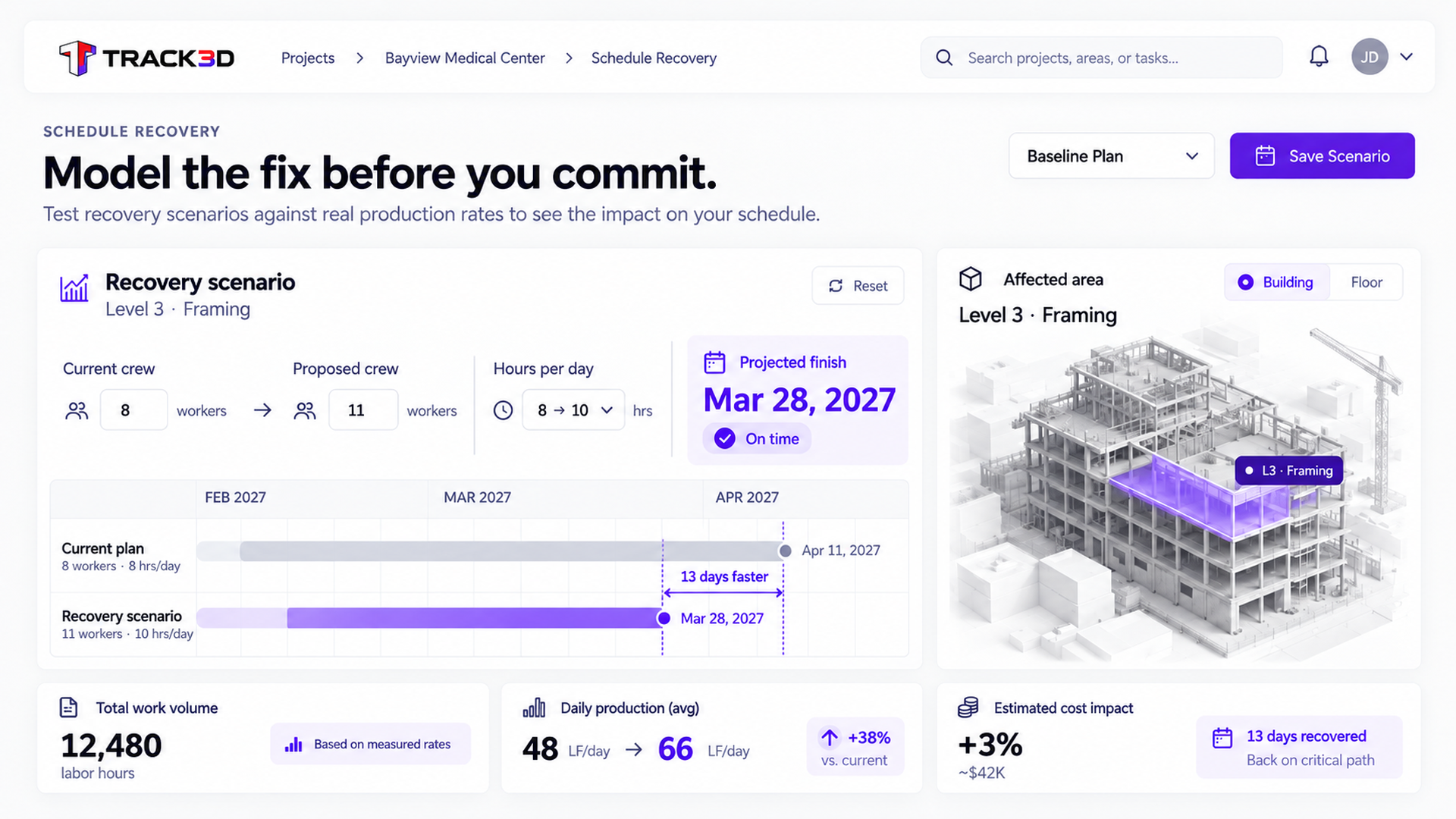
Ask a trade that’s behind if they’ll hit the date, and you’re usually told yes. Self-reported status tells you what someone expects to happen. Track3D shows the measured production rate against plan after each capture – early enough to assess recovery options.
A schedule tells you the plan, not whether you're keeping pace with it
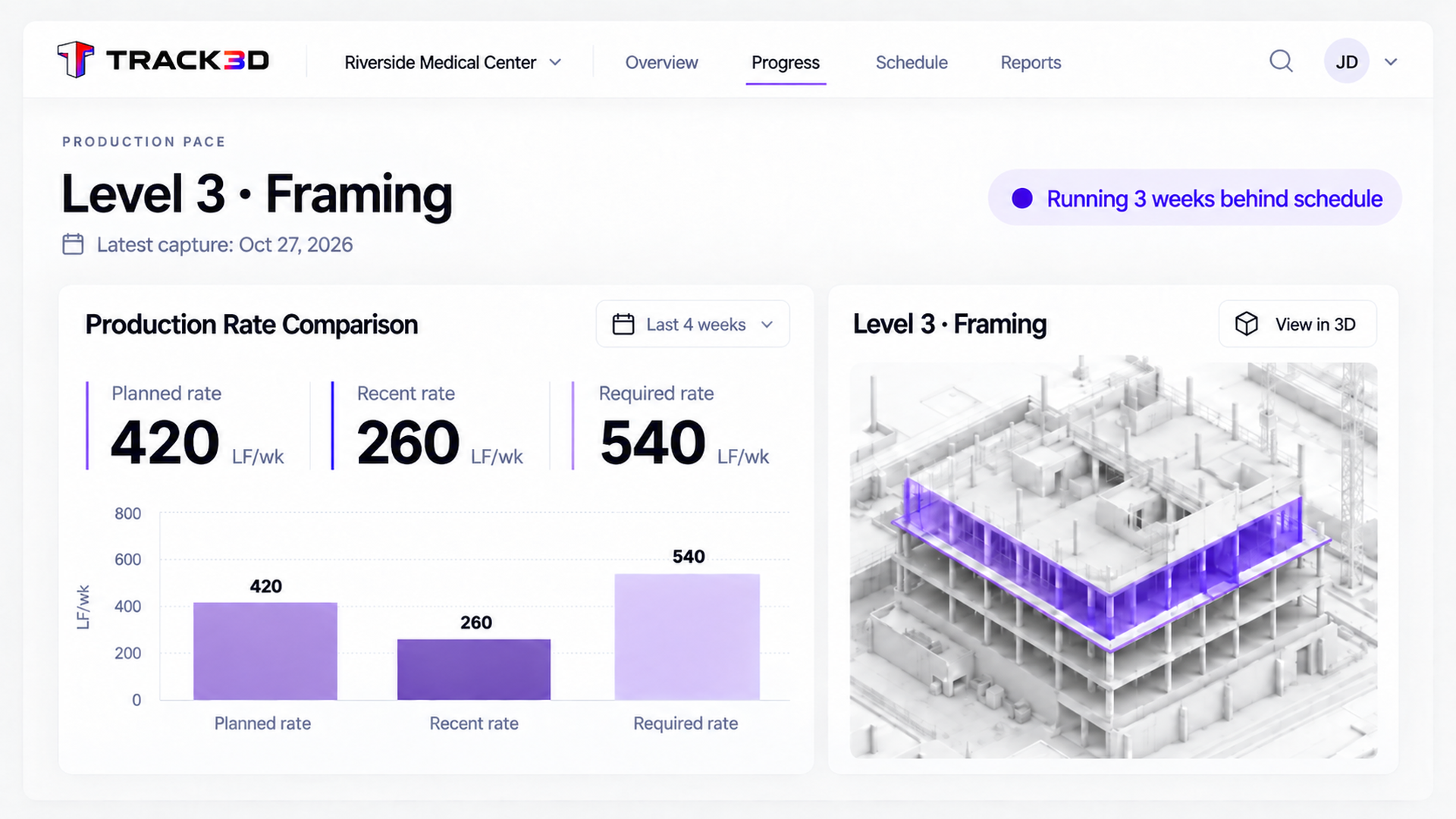
A schedule tells you where work should be. Measured progress shows whether crews are keeping pace. After each processed capture, Track3D compares recent production against planned and required rates, so you can spot the gap while there is still time to respond.
Know it, recover it, prove it
Self-reported status keeps you reactive. Track3D keeps you proactive, with real numbers for the conversation. Show up with the facts and let them do the talking.
1Know where you stand after each capture
Compare measured production rates against the plan after every processed capture, rather than waiting for the next OAC update.
Pace
measured against the project plan
2Recover before it costs you days
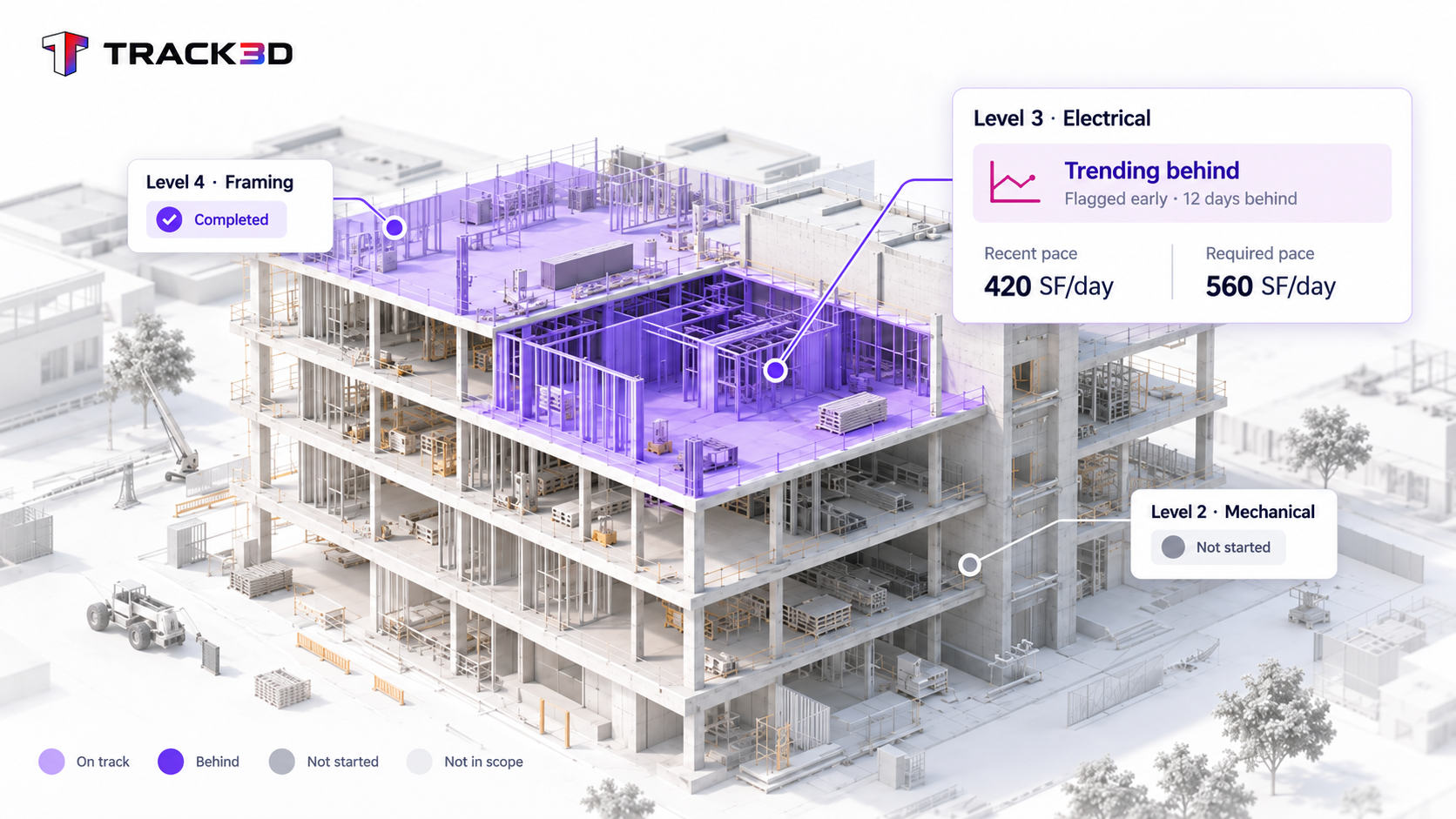
See areas trending behind early, from real production rates, before it becomes a locked-in overrun.
Earlier
visibility into production shortfalls
3Pressure-test the fix before you commit
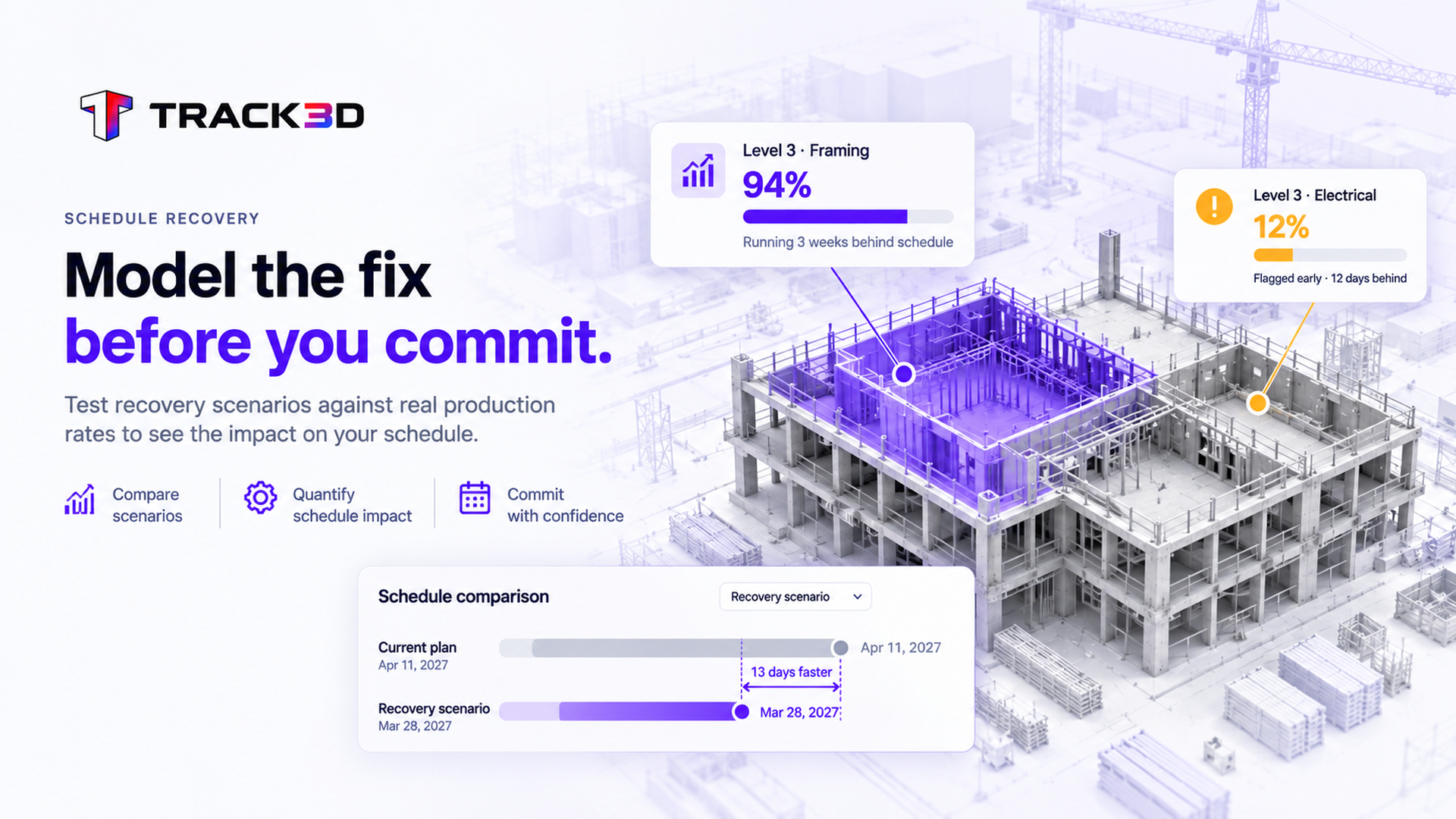
When a trade proposes a fix, more crew, more hours, model it against real production rates to see the resulting finish date before you commit to it.
Recover,
not absorb, an early catch is recoverable
A schedule tells you the plan. Track3D tells you the production rate against it, and flags where reality is bending away before the milestone moves.
Top Use Cases
Payment Applications
Check each line item against a measured percent complete before you sign, then bill the owner from the same number.
A schedule tells you the plan. Track3D tells you the actual production rate against it, and flags where reality is bending away before the milestone moves.
Can I test a recovery scenario?
Yes. Model added manpower or hours against real production rates to see the resulting finish date before you commit.
Does this replace my OAC schedule update?
No. It gives you the same trajectory before the OAC, not just at it, so nothing in that meeting is a surprise, and you walk in already knowing where you stand.
How are these rate numbers calculated?
Planned rate comes from your schedule. Recent rate comes from your last several weeks of captures. Required rate is whatever's left to hit the date, divided by the time you have left.