A project executive sits through three software demos in one week, and every vendor calls its product AI. The pitches blur together, even though an estimating tool and a site capture tool solve very different problems.
AI construction software turns drawings, schedules, photos and site data into estimates, forecasts and measurements. Most of it falls into five types, covering estimating, scheduling, progress tracking from site capture, document search, and safety and quality monitoring.
Adoption is moving fast. In the AGC and Sage 2026 Construction Hiring and Business Outlook, 61 percent of firms said they use AI or plan to invest more. A year earlier, the figure was 44 percent.
The Main Types of AI Construction Software
The AI label tells a buyer almost nothing on its own. A better starting point is what the tool reads, what it produces and who has to check the result.
AI construction estimating software counts and measures items from drawing sets and specifications. It is also where many firms start, since the same AGC and Sage report found 23 percent of firms already use AI for estimating. Ask the vendor how an estimator reviews the output before it reaches a bid.
Scheduling tools suggest sequences and forecast finish dates. They can propose a plan, but the planner still decides which sequence the crews will follow. Ask which constraints the tool models, such as crew sizes, access and deliveries.
AI construction progress tracking software measures installed work from site walks and compares it with the drawings and schedule. It depends on spatial AI to place each capture in the right spot on the building. Ask what the tool measures and, just as important, what it does not.
Document search tools answer questions from specifications, RFIs and submittals and point back to the source page. Ask where the data is stored and who can reach it.
Safety and quality tools take a different route. They scan site images for visible hazards or defects, and a person decides what to do about each one.
What Each Type Needs From Your Team
No AI tool runs on its own. Each one needs good inputs, some setup and a person who owns the output.
Estimating tools are only as good as the drawing set behind them. One missing sheet produces quantities that look precise and still miss scope. Scheduling tools, for their part, need a schedule with real logic ties and resource data.
AI construction progress tracking needs drawings, a schedule and a site walk each week. Timing matters here, because the walk has to capture work before finishes cover it. Document search needs one organized library rather than files scattered across inboxes.
Before signing, find out who handles setup, how long it takes and what your team has to supply. Then name the reviewer, whether that is an estimator, a planner or a superintendent, before the pilot begins.
How to Judge an AI Claim
The NIST AI Risk Management Framework puts “valid and reliable” first on its list of traits for trustworthy AI. That is a useful bar for any vendor claim, and four questions will show whether a tool clears it.
Start with training data. NIST says accuracy measurements should come with realistic test sets that reflect real conditions of use. Ask which projects and building types the vendor tested on.
Next, ask how a person checks the output and which role signs off. NIST also notes that some systems need a human to step in when the AI cannot catch its own errors.
Then ask for the stated accuracy in writing. A number in a signed contract means far more than a number on a sales slide.
Finally, ask what happens when the tool gets something wrong. A good answer covers how a user fixes the error and who absorbs the cost if it reaches a pay application.
Integration and Data Questions
A tool that sits apart from your other systems creates extra work instead of saving it. Check which project management and document platforms it connects to, and what moves in each direction.
Exports matter just as much. Ask for PDF, Excel or CSV output and request a sample from a real project. Then confirm in the contract that the project data remains yours after the subscription ends.
The same checks apply whether you are comparing construction progress tracking software or any other category for your construction projects.
A Rollout That Works
Keep the first rollout small, with one project, one use and one owner. Record a baseline before the pilot starts, such as the hours the team needs each week to verify progress.
Give the pilot a fixed end date and compare the result against that baseline. If the numbers show the tool saves time, expand it. If they do not, the company has learned that cheaply.
Where Track3D Fits
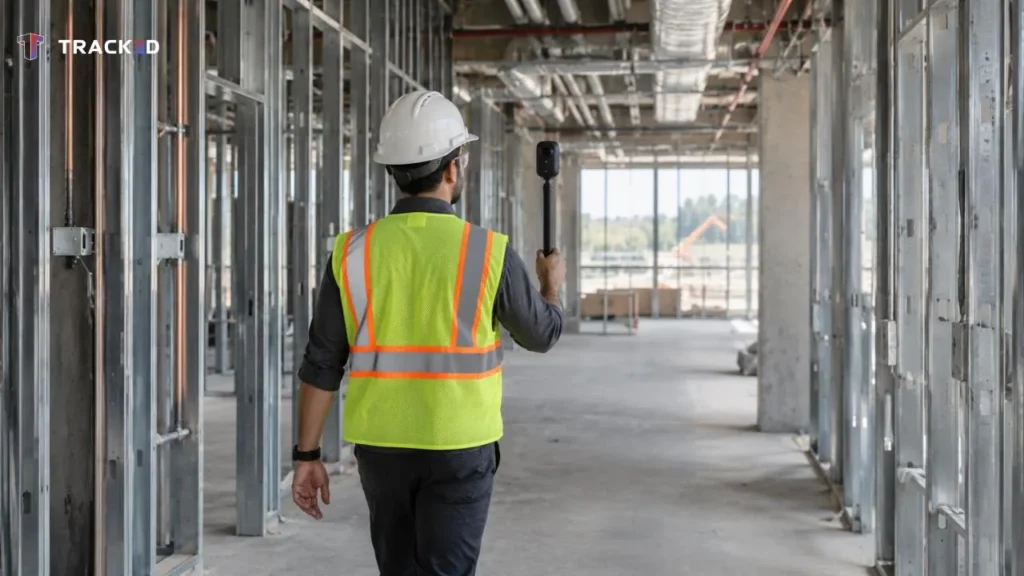
Track3D belongs in the progress tracking category, with AI-powered progress tracking from 360 video walks. It measures installed quantities and percent progress by floor, zone, trade and activity, and shows the results on the 2D drawings. Percent progress is installed quantity divided by the quantity from project data setup.
Accuracy depends on a complete drawing set and on walks that capture work before crews cover it. Each capture produces a progress report PDF, and an AI-generated Daily Note Report reaches project admins each evening, much like a construction daily report. At Hensel Phelps, the SFO project recorded $342k in labor cost savings.
Frequently Asked Questions
What is AI construction software?
AI construction software uses machine learning to read drawings, schedules, photos or site data. It produces estimates, forecasts or measurements, and a person reviews them before anyone acts.
What are examples of AI used in construction?
Common examples include tools that count items on drawings and tools that suggest schedule sequences. Others measure installed work from site walks or answer questions from project documents.
Is AI estimating software accurate?
That depends on the drawings, the training data and the review process. An estimator should still check AI quantities before they go into a bid.
How do I choose AI software for my construction company?
Start with the job you need done and match it to a tool type. Compare tools on inputs, setup, review, integrations and exports, then pilot the best fit on one project.
What data does AI construction software need?
Estimating tools need drawing sets and specifications, while scheduling tools need a schedule and resource data. Progress tracking tools need drawings, a schedule and site walks.