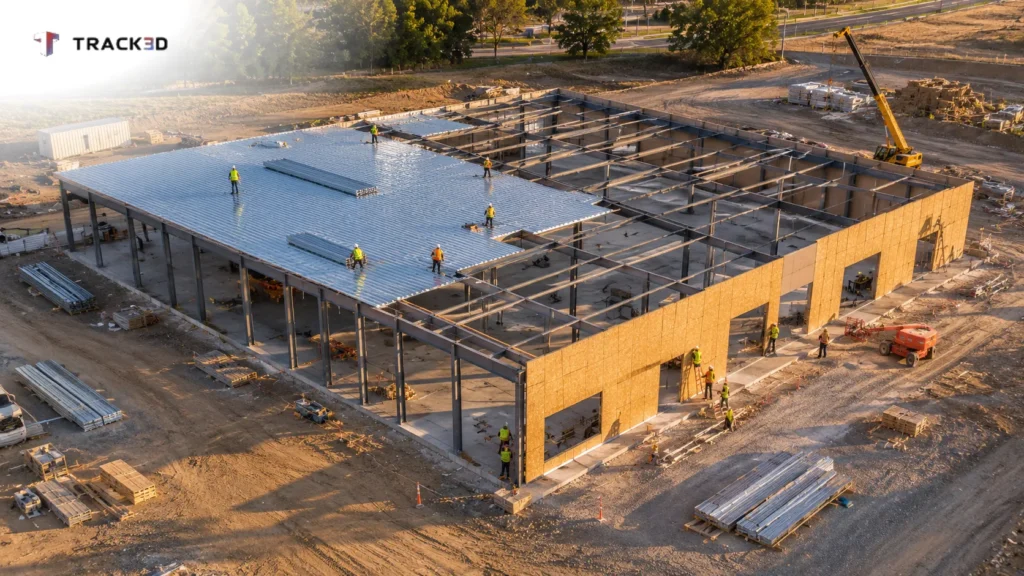
The critical path method (CPM) helps teams plan, schedule and control construction projects by identifying the longest sequence of interdependent activities. That sequence determines the shortest time required to complete the project. If any critical path activity runs late, the date the project finishes moves by the same number of days.
Picture the Monday meeting on a steel retail building. The construction schedule shows MEP rough-in halfway complete, but the superintendent knows the electrical crew has been short two people all week. Nobody can say whether that shortfall moves the finish date, because someone statused the schedule by the calendar rather than by the work in place.
CPM scheduling identifies which activities cannot slip, while field progress confirms whether they are slipping. This guide covers the essential terminology, a worked critical path construction example, and the update discipline that keeps the path tied to installed work.
Key Takeaways
- The critical path is the longest chain of logically linked activities, and it establishes the earliest achievable finish date.
- A near-critical path with only two days of float deserves almost the same scrutiny as the critical path.
- Remaining duration should come from installed quantities rather than elapsed days.
- Measured progress converts the weekly schedule update from a subjective estimate into a verifiable check.
What Is the Critical Path Method in Construction?
The critical path method models a project plan as a network of logically linked activities. Each project task carries a duration and a set of predecessors that must finish before it can start. Applying CPM in construction gives the project team and every trade partner a shared, objective view of what drives the completion date.
Calculating forward through the network produces the earliest date each activity can occur. Calculating backward from the finish produces the latest date each activity can occur without delaying completion. The difference between those dates is float, and activities with zero float form the critical path.
Six terms are enough to interpret any CPM schedule.
- Activity. A discrete scope of work with a defined start and finish. Well-structured activities divide the job into individual tasks that a single trade partner owns and the field team can measure.
- Duration. The number of working days an activity requires. Activity durations should come from quantities and crew production rates, not intuition.
- Dependency. The logic relationship between two activities. Most relationships are finish-to-start, so the successor cannot begin until its predecessor is complete.
- Early start and early finish (ES, EF). The earliest dates an activity can start and finish, calculated in the forward pass.
- Late start and late finish (LS, LF). The latest dates an activity can start and finish without delaying the project, calculated in the backward pass.
- Total float. The number of days an activity can be delayed before the finish date moves.
Most teams present the CPM schedule as a Gantt chart that shows each activity across the project timelines. On many jobs, activities also align with the schedule of values, so the schedule and the monthly billing describe the same scope. The real difficulty lies in defining accurate logic and time requirements, then maintaining them as conditions change.
How Do You Find the Critical Path? A Critical Path Analysis Example
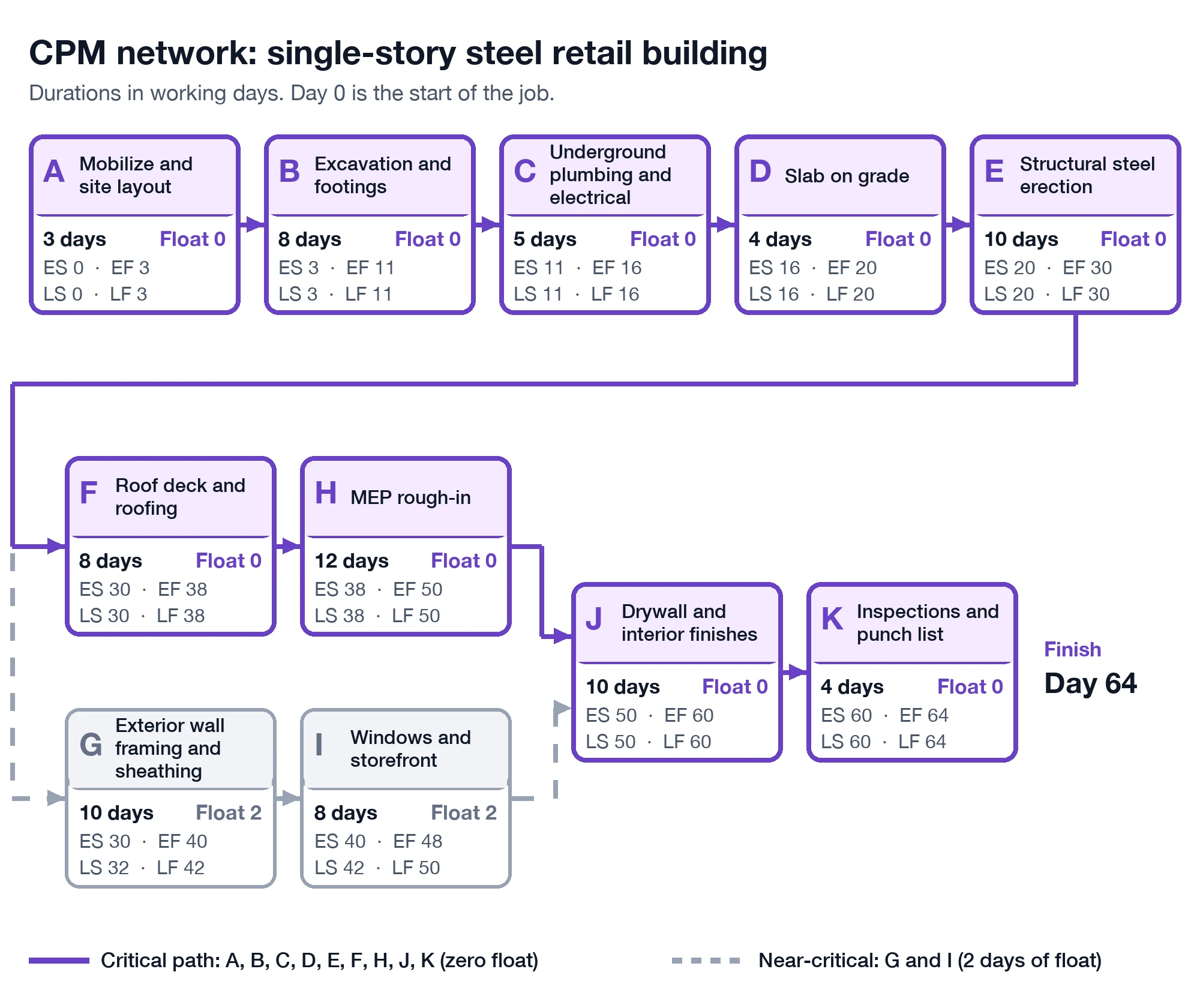
This critical path method example uses a single-story steel retail building with eleven activities. Durations are in working days, and day 0 represents the start of the job. The steps below demonstrate how to find the critical path manually.
| ID | Activity | Duration (days) | Predecessors | ES | EF | LS | LF | Total float | Free float |
| A | Mobilize and site layout | 3 | None | 0 | 3 | 0 | 3 | 0 | 0 |
| B | Excavation and footings | 8 | A | 3 | 11 | 3 | 11 | 0 | 0 |
| C | Underground plumbing and electrical | 5 | B | 11 | 16 | 11 | 16 | 0 | 0 |
| D | Slab on grade | 4 | C | 16 | 20 | 16 | 20 | 0 | 0 |
| E | Structural steel erection | 10 | D | 20 | 30 | 20 | 30 | 0 | 0 |
| F | Roof deck and roofing | 8 | E | 30 | 38 | 30 | 38 | 0 | 0 |
| G | Exterior wall framing and sheathing | 10 | E | 30 | 40 | 32 | 42 | 2 | 0 |
| H | MEP rough-in | 12 | F | 38 | 50 | 38 | 50 | 0 | 0 |
| I | Windows and storefront | 8 | G | 40 | 48 | 42 | 50 | 2 | 2 |
| J | Drywall and interior finishes | 10 | H, I | 50 | 60 | 50 | 60 | 0 | 0 |
| K | Inspections and punch list | 4 | J | 60 | 64 | 60 | 64 | 0 | 0 |
MEP rough-in follows roofing because the trades require a dried-in building.
Step 1. Run the Forward Pass
The forward pass calculates the earliest dates. Each activity starts when its latest predecessor finishes, and early finish equals early start plus duration.
- Activities A through E run in sequence and finish on day 30.
- After steel erection, the network branches. F runs from day 30 to 38, while G runs from day 30 to 40.
- H runs from day 38 to 50, and I runs from day 40 to 48.
- J depends on both H and I, so it starts on day 50 and finishes on day 60.
- K runs from day 60 to 64, which makes day 64 the earliest possible completion.
Step 2. Run the Backward Pass
The backward pass calculates the latest dates. Begin at day 64 and work backward, subtracting each duration from the late finish.
- K must start by day 60, and J must start by day 50.
- Because H and I both feed J, each must finish by day 50. H must start by day 38, and I by day 42.
- F must start by day 30. G must finish by day 42 and start by day 32.
- E must finish by day 30. From E back to A, every late date matches its early date.
Step 3. Find the Float and the Critical Path
Identifying the critical path requires one subtraction, late start minus early start. Nine activities have zero float, while G and I each carry two days. The critical path is therefore A, B, C, D, E, F, H, J, K.
If roofing finishes one day late, completion shifts to day 65. A one-day slip on exterior framing moves nothing yet, because it still has two days of float.
Why Does Near-Critical Float Matter in CPM Scheduling?
In the example, the wall and storefront sequence is only two days shorter than the critical path. A single late delivery or a week of poor weather could turn this near-critical path into the controlling path. Many teams flag any activity with five to ten days of float or less and review it every week.
Understanding float in CPM begins with its two forms. Total float measures how long an activity can slip before project completion moves. Free float measures how long it can slip before it delays the early start of its successor.
Exterior framing carries two days of total float but zero free float. The total float vs free float distinction determines which crew absorbs a delay first. Because float belongs to the project rather than to any single trade partner, managing it is a resource management decision as much as a scheduling one.
How Do You Keep the Critical Path Honest in Construction?
A CPM schedule is only as reliable as its most recent update. The critical path established at baseline is a forecast, and field conditions either confirm or revise it every week.
A disciplined construction schedule update captures three inputs for every activity in progress.
- Actual start and finish dates recorded since the previous update.
- Remaining duration, calculated from the quantity left to install and the crew’s demonstrated production rate.
- Logic revisions, whenever the field has resequenced work.
The scheduler then reruns the critical path analysis from the new data date, and the path may shift to a different sequence.
How a Stale Schedule Update Hides a Slipping Path
On day 44, MEP rough-in has been underway since day 38, so six of its twelve planned days have elapsed. The convenient update is to report it as 50% complete with six days remaining.
Now compare that figure with what the crew has actually installed. The superintendent finds roughly 30% of the rough-in in place. At that production rate, the remaining 70% requires 14 more days, not six.
| Update method | Percent complete | Remaining duration | Project finish |
| Elapsed time | 50% | 6 days | Day 64 |
| Installed work | 30% | 14 days | Day 72 |
The elapsed-time update conceals an eight-day slip on the critical path. By the time drywall cannot start, schedule recovery is limited to overtime, additional crews or a late finish.
The remedy is to derive remaining duration from installed quantities, measured consistently every week. That approach replaces opinion with measurement and exposes one of the quieter types of construction delays, the slip that sits unnoticed in the schedule for weeks. The same quantities also strengthen a pay app review, which faces the same gap between elapsed time and installed work.
What Mistakes Break CPM Scheduling Logic?
Most unreliable critical paths result from flawed logic rather than flawed arithmetic.
Missing relationships. An activity without a successor can slip indefinitely without affecting anything, so it never appears critical. Run an open-ends check before every update.
Excessive constraints. A “finish by” date overrides network logic and prevents the schedule from calculating float correctly. Reserve hard constraints for genuine external dates, such as a permit or a utility tie-in.
Padded durations. Padding conceals real float and inflates the critical path. Base each time estimate on quantities and production rates, and carry risk in a visible contingency activity.
Progress based on elapsed time. Percent complete should reflect installed quantity divided by total quantity, not the number of days that have passed.
Oversized activities. A 60-day activity cannot reveal which floor is behind. Break work down by level, zone and trade so each activity is measurable.
Where Measured Progress Fits Into CPM Scheduling
Measured progress strengthens the weekly CPM update by replacing an elapsed-time estimate with a quantity verified on site.
The scheduler continues to build the CPM schedule in the team’s existing scheduling software, and the critical path still comes from that tool. The team uploads the schedule file so planned dates sit alongside field data. Platforms like Track3D handle the measurement side.
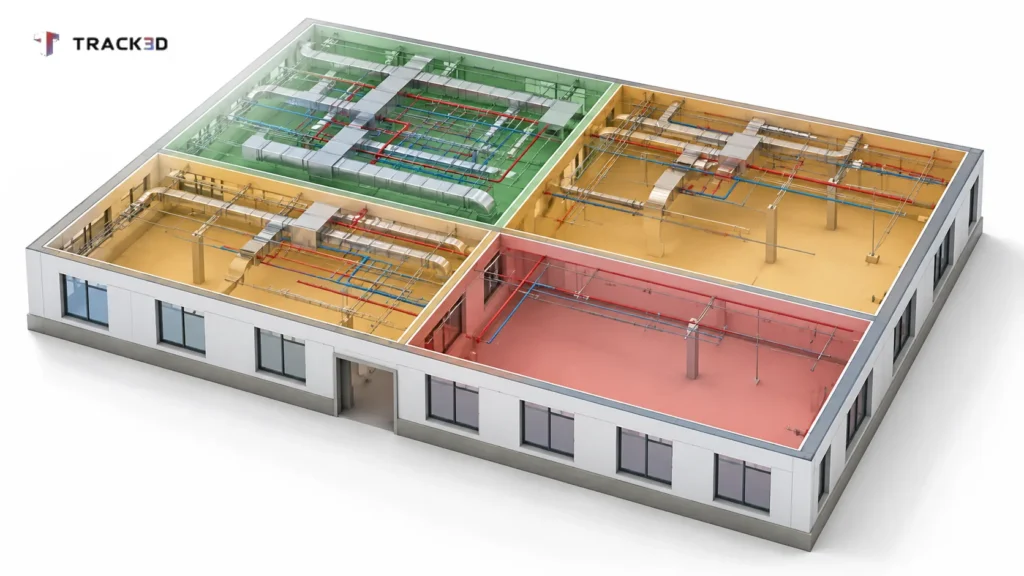
A team member records a 360 video walk of the site with a mobile app. The AI-powered platform then measures installed quantities against the quantities established from the drawings. It reports the results by floor, zone, trade and activity.
The scheduler can compare planned and actual dates side by side on a Gantt view, the core comparison that construction progress tracking software performs on every walk. The platform flags activities that fall behind or trend toward a delay before the next update.
Measured progress has two limitations. The project setup must reflect a complete, current set of drawings. Each walk also takes about a day to process, so capture it early in the week.
See Measured Progress Before Your Next Schedule Update
On your next update, let remaining durations come from installed work instead of elapsed days. To see how Track3D compares measured progress to your schedule, book a demo.
Frequently Asked Questions
What is the critical path method in construction?
The critical path method schedules construction projects by linking each activity to the work that must precede it. The longest chain of linked activities is the critical path, and it establishes the earliest finish date.
How do you find the critical path?
A forward pass calculates the early dates, and a backward pass calculates the late dates. Activities with zero total float form the critical path.
What is float in CPM scheduling?
Float is the amount of time an activity can slip without causing a delay. Total float protects the completion date, while free float protects the next activity.
How often should you update the critical path?
Update it weekly on most active projects, with remaining durations derived from installed work.
CPM vs PERT: What Is the Difference?
CPM assigns one fixed duration to each activity. The Program Evaluation and Review Technique (PERT) combines optimistic, most likely and pessimistic time estimates.